Teams | Collaboration | Customer Service | Project Management

Smoother collaboration with integrations

People do their best work in a state of flow, when they can move from a conversation to a document to a task without breaking their train of thought. That puts the onus on productivity vendors to make their tools work together seamlessly. Customers running sovereign stacks tell us exactly that. As one put it: "It isn't a problem that the apps are named different things, or that they're made by different vendors.

Video Communication for Distributed Teams: Match the Tool to the Conversation

Distributed teams don’t usually struggle because they lack video communication tools. The real challenge is knowing which tool to use for the right conversation. A quick question can easily turn into a 30-minute meeting, a company-wide announcement can become an unnecessary 400-person video call, and the same product walkthrough may be explained live multiple times when a single recording could do the job. The solution is to match the communication format to the purpose of the conversation.

Shared Decks in Distributed Teams: Using AI Redesign Without Breaking the Content

Shared presentations have a familiar failure mode in distributed teams. A deck starts with one person, moves through several time zones, and eventually reaches the client meeting with four different fonts, mismatched slide sizes, and a chart nobody can edit because it was pasted in as an image. AI redesign tools can now clean up the visual side of a presentation in minutes. But they can also quietly alter, remove, or distort important content.

Payroll Reminder

Search for payroll reminders and you get email templates for chasing timesheets. Those matter, and they are the cheap half of the problem. If a timesheet arrives late, payroll is inconvenienced. If a tax deposit arrives late, the penalty runs from 2% to 15% and can be assessed personally against the person responsible. Payroll reminders run in two directions. Outbound are the ones you send to employees and approvers.

Construction Timesheet

A construction timesheet records who worked, where, on what, and for how long. On a private job that is a payroll and job-costing document. On a federally funded or federally assisted job it is the source data for a weekly certified payroll report, and it needs two fields that almost no free template includes: work classification and cost code. The template below has both, splits straight time from overtime, and comes with a checklist of every field Form WH-347 requires.

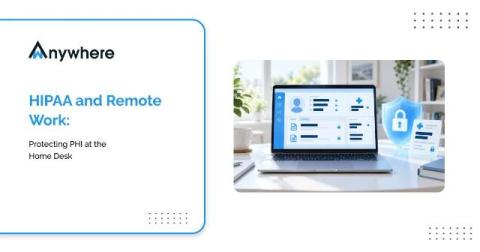
HIPAA And Remote Work, Protecting PHI At The Home Desk

A patient calls a healthcare support line at four in the afternoon. The agent who answers is working from a second bedroom, confirms the caller identity, opens the record and reads back a recent procedure and a prescription. The call is encrypted, the login was clean and the recording is retained exactly as the policy says. None of that addresses the person who walked into the room thirty seconds earlier and can see the screen.

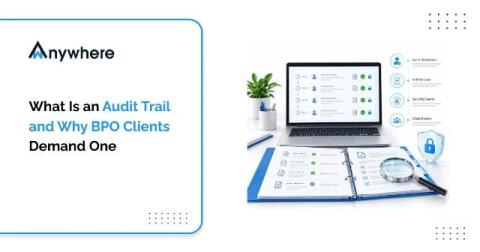
What Is An Audit Trail And Why BPO Clients Demand One

Quick answer An audit trail is a time-stamped record of who accessed which systems and data, what they did, and when and where they did it. BPO clients demand one because it is the only reliable way to prove their data was handled to contract, and because GDPR, HIPAA and PCI DSS all expect user activity to be logged and reviewable.

Non-Billable Hours

Non-billable hours are hours worked that cannot be charged to a client: internal meetings, admin, training, business development, proposals, and project overruns you chose not to invoice. Every guide to this subject treats non-billable time as a problem to minimise. That framing causes two expensive errors. It leads firms to price as though non-billable time does not exist, which understates the break-even rate by around 60%.

A Safer Way to Share, A Smarter Way to Sync: What's New in CurrentWare Cloud

Our latest cloud release offers three new capabilities that are focused on one goal: to protect the data you can’t afford to lose and sync data that you can trust. A quick summary of what’s new: You can now stop sensitive data from being leaked the moment it is copied, control which files can be uploaded to applications, websites, or emails, and sync employee records straight from your HR system.

How High-Speed Internet Helps Small Businesses Improve Team Collaboration

Small businesses increasingly depend on digital tools to communicate, share information, manage projects, and stay connected with employees and customers. When internet connectivity is slow or unreliable, everyday activities such as team messaging, file sharing, video meetings, and access to cloud applications can become frustrating and inefficient. High-speed internet gives employees the connectivity they need to communicate in real time and keep collaborative work moving.