
Teams | Collaboration | Customer Service | Project Management

The latest News and Information on Time Tracking, Timesheets and related technologies.

Contractor Time Tracking: What to Track and What It Means

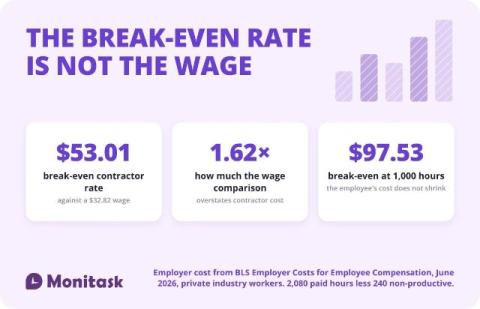
Contractor time tracking records hours against work rather than against a schedule. The distinction matters beyond bookkeeping: the IRS asks whether a business controls “or has the right to control what the worker does and how the worker does his or her job,” so a system that sets a contractor’s hours is itself a factor. And the rate at which a contractor stops being cheaper than an employee is $53.01, not the $32.82 an employee earns. > This is not legal or tax advice.
Paid Hours Vs Billed Hours: Where BPO Margin Quietly Leaks

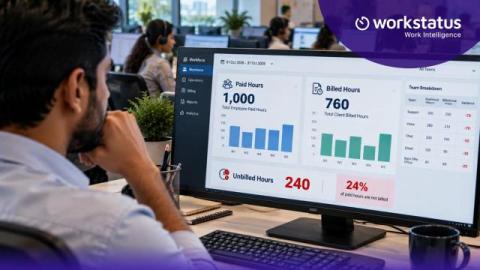
Say an agent works a 9-hour shift. You pay for all 9 hours. But you can bill the client for only 7. Those 2 hours are a cost you never get back. Now picture that across every agent and every shift. That’s where BPO margin quietly leaks. Most teams don’t spot it until month-end, when the numbers don’t add up. It doesn’t have to stay hidden. With Workstatus, you can match each paid shift to the right client account as the work happens.

GPS Time Clock for Employees: Accuracy, Geofencing, and the Law

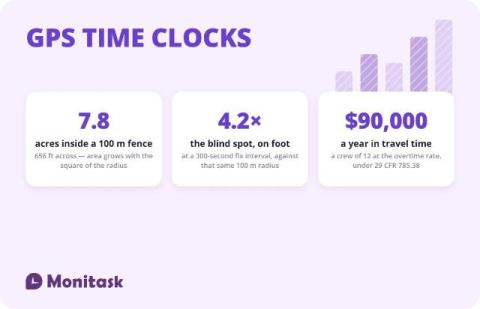
A GPS time clock records a location alongside each clock-in and clock-out, so a timesheet carries where the work started as well as when. It answers the attendance question for field crews that a desk time clock cannot. It does not provide continuous proof of presence: the accuracy figures in circulation measure the satellite signal rather than a phone, and a geofence confirms position at the moment of a fix rather than detecting the moment someone leaves. > This is not legal advice.

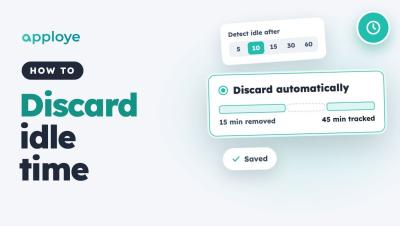
How to Discard Idle Time Automatically in Apploye

Learn how to discard idle time automatically in Apploye, so idle minutes come off tracked time without anyone having to review them. Go to Settings → Activity → Idle time, choose when time counts as idle, and pick Discard automatically. You can also give individual members their own idle settings.

Agency Time Tracking: What to Track and What It Tells You

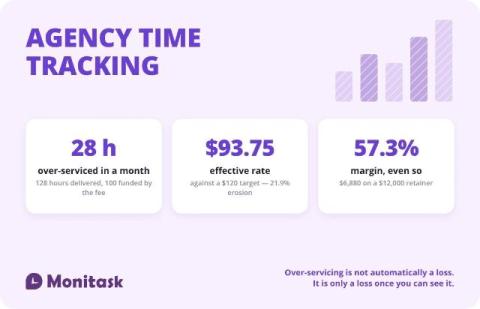
Agency time tracking exists to answer one question: did the fee cover the work. A $12,000 monthly retainer at a $120 target rate funds 100 hours. Deliver 128 and the effective rate drops to $93.75, with 28 hours of over-servicing worth $3,360. Hours by client, by role and by activity are what turn a retainer into a margin number.

How to Turn On Ignore Idle for Apps and Websites | Flowace

Learn how to turn on Ignore Idle in Flowace so time in calls, meetings and training is not marked as idle. Flowace marks time as idle when there is no keyboard or mouse activity for the time your admin sets. But sometimes you are still working, for example listening in a call or watching a training. Turn on Ignore Idle to keep tracking time even when you aren't moving your mouse or typing. In this video.

Idle Time Threshold in Flowace: Set It for New Users and Employees

Learn how to set the idle time threshold in Flowace, the number of minutes without keyboard or mouse activity before time is marked idle. You can set a default for new users in Default Settings, and change the value for one employee in Permissions, Desktop App. Once the threshold is reached, the whole inactive period is marked idle. Shorter pauses stay active. In this video: Chapters: Example setup used in this video.

Idle Time Threshold in Flowace: Set It for New Users and Employees

Learn how to set the idle time threshold in Flowace, the number of minutes without keyboard or mouse activity before time is marked idle. You can set a default for new users in Default Settings, and change the value for one employee in Permissions, Desktop App. Once the threshold is reached, the whole inactive period is marked idle. Shorter pauses stay active. In this video: Chapters: Example setup used in this video.