Teams | Collaboration | Customer Service | Project Management

Productivity Trends 2026 - What Is Changing and What Every Team Needs to Know

The biggest productivity trends 2026 are AI-driven automation, outcome-based performance tracking, fully remote work outperforming hybrid and office models on engagement, and a sharp focus on reducing meeting overload and after-hours messaging. This guide covers exactly what is changing: Every trend below is backed by current research from Gallup, Microsoft, McKinsey, and industry workplace studies.

The best client management software for delivering profitable client work

I've spent the better part of a decade inside professional services operations. First running delivery at agencies, then joining Teamwork.com to help people learn about the platform I wished I'd had. The pattern I kept hitting was the same: a CRM held the client record, a spreadsheet tracked the budget, and a project tool held the tasks. None of them talked to each other. Every Monday morning started with a frantic reconciliation ritual that ate hours and still left blind spots.

10 project planning software tools I tested for managing client work

I spent the better part of a decade juggling client projects across spreadsheets, email threads, and at least three tools that never talked to each other. One Monday morning I realized I'd burned two hours just pulling together a status update for a single account. That was the moment I knew the tools were the problem, not the process.

Introducing Claude Agent for Jira

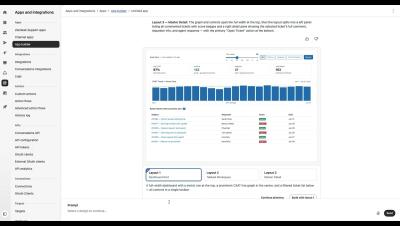
Built on Anthropic’s Claude Managed Agents infrastructure, Claude Agent for Jira lets you assign work items directly to Claude. Your agent’s work now sits in Jira alongside everything else: tracked in your project, visible in workflows, and connected to the goals it’s helping ship. The agent automatically processes the work item context, implements the required changes in a secure sandbox, and opens a draft pull request for your review.

How to use the Advanced Search in M-Files

This video covers all the ways you can use search to quickly find the information you're looking for. By far, the most efficient way of finding your documents and other objects is to use the M-Files search functions. This is especially useful when you remember only a single detail about the document or object, such as the creation date or the user who created the document. The advanced search and filters allow you to define more search criteria related to the properties and location of the objects that you are searching for.

Automated time tracking: how it works and why your team needs it

Every professional services team I've been part of has had the same argument at some point: "Why aren't timesheets getting done?" Before I joined Teamwork.com, I spent years managing delivery for agency teams. The answer was always the same. Manual time tracking is painful, so people avoid it. Automated time tracking fixes the root cause by removing the manual work entirely. This guide breaks down how it works, what methods are available, and how to choose an approach that actually sticks with your team.

7 requirements for secure messaging in critical infrastructure

‍ Most critical infrastructure organizations are running communications on platforms built for the wrong threat model. Commercial SaaS tools were designed for persistent internet connectivity and vendor-managed infrastructure. Neither holds in energy grids, water systems, transport networks, or healthcare environments facing active cyber threats. Secure messaging for critical infrastructure is not a feature upgrade. It is an architectural decision.