Teams | Collaboration | Customer Service | Project Management

How to Export a Miro Board - Quick and Easy!

Need to share or save your Miro board? Exporting it is fast and simple! Whether it’s for presentations, documentation, or printing, this quick tutorial will show you how to: Master the art of exporting your boards with ease. Watch now to make sharing and saving your work effortless! Found this helpful? Like, comment, and subscribe for more Miro tips in under a minute!

Vivantio Update: New Tabbed Modals and Drawer Views for a Smoother Experience

Discover the latest enhancements to the Vivantio user experience! In this video, we introduce new ways to customize how dialogs, lookup windows, and search interfaces are displayed. With tabbed modals and drawer views, you can personalize your workspace to be cleaner, more intuitive, and more efficient. Highlights Include: New tabbed dialog and drawer interface options Easy switching between modal and drawer views.

Meet Aura: Miro's New Design Language for Creative Collaboration

Introducing Aura, Miro’s new product design language — created to elevate creative collaboration for teams everywhere. It’s not just a fresh new look. Aura is all about making your time on the canvas more inspiring, intuitive, and delightful — whether you’re brainstorming, mapping ideas, or building next-gen solutions.

Introducing FLEXGrid Workspaces: Real-Time Data Insights for Smarter Service Management | Vivantio

See how Vivantio's FLEXGrid is transforming the way teams interact with data. FLEXGrid is a dynamic, interactive workspace that empowers teams to explore, analyze, and act on real-time data—no report builder required. Whether you're running ad-hoc analysis, tracking project progress, or identifying trends, FLEXGrid puts the power of flexible reporting directly into your hands. What You’ll Learn: Flexible insights. Actionable data. Smarter decisions. Experience FLEXGrid—only in Vivantio.

MASTER Miro in 2 Minutes: Fast, Simple, Powerful

Pressed for time but curious about Miro? In just 2 minutes, this video gives you a lightning-fast yet effective overview of Miro’s core features. Whether you're brand new or just need a quick refresher, you’ll walk away with everything you need to get started. What You’ll Learn: Why Watch This: Who This Is For: Explore More: This is just the beginning! Check out the rest of our channel for deep dives and tutorials to unlock Miro’s full power.

Effortless Time Off Management: Keep Requests Organized and Hassle-Free

A structured time-off management system enables businesses to avoid scheduling conflicts, maintain operational efficiency, and ensure fairness across the team. With TrackingTime, organizations can eliminate manual tracking, reduce administrative workload, and create a more transparent and reliable leave request process.

How to Use Tables and Timelines in Miro | Organize Projects like a Pro

Learn how to use tables and timelines in Miro to structure your ideas, plan next steps, and customize your workflows for any project. In this video, we walk you through: How to create a table in Miro effortlessly Pasting a CSV directly onto the canvas Full customization options for rows, columns, and more Using tables and timelines for project planning, task tracking, and more Whether you're working on a product roadmap, content calendar, or project management board, Miro tables are a game-changer for visual structure and flexibility.

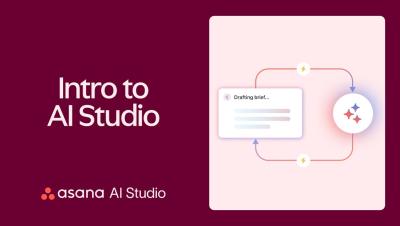
How Asana's AI Studio helps our culinary team work smarter

What do chefs and AI have in common? At Asana, they’re working together to solve a real workplace challenge. Our in-house culinary team was fielding growing requests for nutrition info—and manually calculating every meal wasn’t scalable. With Asana AI Studio, we built a workflow that generates accurate nutrition data automatically, so the team can keep cooking and employees can make informed choices.