Teams | Collaboration | Customer Service | Project Management

How to Share a Miro BoardStep-by-Step Guide

Learn how to share a Miro board and manage sharing rights like a pro! In this video, we cover everything you need to know about sharing your board with others, controlling access levels, setting passwords, and even sharing with other teams. Whether you're collaborating with your team or sharing your board externally, this quick guide has you covered. Found this video helpful? Like, comment, and subscribe for more Miro tips!

Copilot similar tickets: Help agents find similar tickets faster | Zendesk Product Spotlight

Copilot similar tickets: Help agents find similar tickets faster | Zendesk Product Spotlight As an agent, when you’re stumped trying to solve a ticket, it can be super helpful to see how your teammates have handled similar tickets in the past. The copilot similar tickets feature helps agents find similar tickets to the one they're working on. Zendesk makes customer service better. We build software to meet customer needs, set your team up for success, and keep your business in sync.

Creating a Purpose-Driven Workforce: Aligning Corporate & Employee Values | LinkedIn Talk Show

In our recent session, "Creating a Purpose-Driven Workforce: Aligning Corporate and Employee Values," where top industry experts shared valuable strategies on building a values-driven work culture that enhances motivation, resilience, and overall engagement. What You’ll Learn: Meet the Experts: This session provides valuable insights on how aligning values within your organization can drive performance, satisfaction, and long-term success.

How I do offsite planning in Miro

Join Lotte, Chief of Staff at Miro, as she walks through how her team uses Miro to plan the Summer Leadership Forum for Miro’s top 70 senior leaders. From choosing the perfect venue to drafting the agenda, Lotte demonstrates how Miro’s Offsite Planning template streamlines the entire process. With features like Dot Voting for speaker selection and Miro AI for post-event insights, Miro makes offsite planning seamless and collaborative. Whether you’re organizing a leadership forum or your next team event, Miro helps turn big plans into actionable outcomes.

What's new in Asana | January 2025

Welcome to the January edition of What’s new in Asana. First, improve team onboarding and collaboration with curated team pages. Next, keep specific custom fields and their values private so only explicitly named members can view or edit them. Finally, create a saved view in capacity planning or workload to see what's most relevant for you and your team.

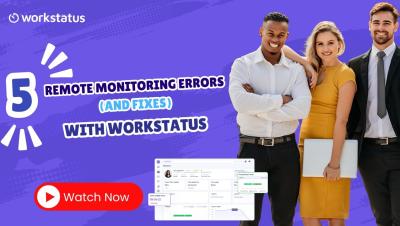
Remote Work Made Simple with Workstatus - Stay Connected & Productive!

Struggling to keep your remote team aligned, engaged, and productive? Workstatus is here to make remote work effortless! Track progress in real-time Manage tasks with ease Boost team collaboration & trust Ensure productivity—anytime, anywhere Say goodbye to communication gaps and missed deadlines. With Workstatus, you get a smarter way to work remotely.