Teams | Collaboration | Customer Service | Project Management

Collaborating To Help Teams Work Better In The Modern Workplace


What is the new Slack Platform?
The next generation Slack Platform is packed with a ton of amazing features. In this video we’ll get a quick overview of what the new Slack Platform has to offer, and how these new features work together in a way that makes it faster and easier to build solutions that simplify your working life.

Managing your operations with Routing and Live Reporting
The Zendesk Community took a deeper dive into the new and advanced Routing and Live Agent Reporting capabilities. Joined by our panel of experts who shared an overview of the benefits of these new features while presenting a better understanding of how they intertwine with other Zendesk routing capabilities.
TrackingTime for Marketing Agencies
Learn how to get the most out of TrackingTime if you work in a Marketing Agency 🚀 When it comes to profitability, efficiency, and productivity, time-tracking tools are game-changers at marketing agencies. They also enable you to make better decisions as a leader. Features like custom fields, project management, work schedules and pace can simplify your daily work⚡ It’s easy to get started with time tracking software, and you’re bound to realize the benefits almost immediately.

Conversations with Zendesk: Conversational CRM
Hear why Conversational CRM is the future of personalized customer experiences.

How to build a dashboard for Google Analytics 4 | GA4
Dale shows us how to build a live dashboard for Google Analytics 4. A custom GA4 dashboard makes it easy to share important Google Analytics metrics with team members – via desktop, TV dashboard, Email or Slack.

Kiss status meetings goodbye: stay in sync, async | Atlassian Presents: Work Life '22 | Atlassian
We all know it and hate it — the dreaded “status meeting.” They’re great when it’s a small team, but they don’t scale and become a waste of time. In this session, we’ll show how to use Atlas to keep teams in sync, async, while empowering them to continue using the apps that let them thrive.
Best Crew Scheduling Apps & Software
Construction businesses that use outdated methods (e.g., Excel spreadsheets) to manage scheduling are all too familiar with the frustration of manually coordinating with crews via text or call. This is extremely inefficient and hurts your bottom line. In this video we’ll provide an in-depth overview of how our product works. Following that, we’ll list other crew scheduling apps that could be a good fit for your business.
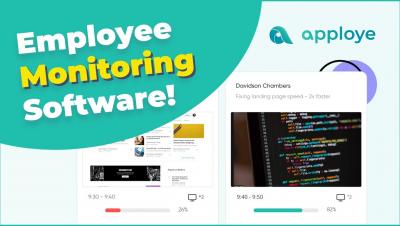
Employee Monitoring Software
Apploye is the #1 employee monitoring software with time tracking. It allows you to monitor your employees’ work hours and online activities. Apploye offers features such as time tracking, screenshots tracking, and apps & URLs usages tracking. You can see the real-time view of what projects & tasks your employees are performing and can take an instant screenshot of your employees’ PC. Also, you can compare your employees' performance by seeing the comprehensive time and activity report.
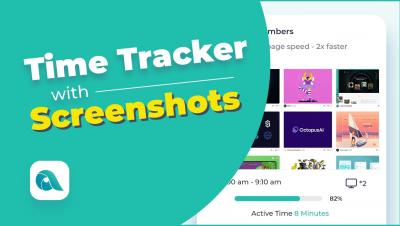
Time Tracker with Screenshots
Apploye time tracker with screenshots can be used to monitor employee time use during work. It allows you to track activities, take multiple screenshots, and see the Apps & URL usage of your employees will help you to understand whether they are working or lounging. Apploye captures your screen randomly at a 10 minutes interval. That means you can get 6 screenshots in a row in 1 hour. If you want more screenshots, you can set the frequency of taking screenshots to get up to 3 screenshots in 10 minutes. Also, you can capture real-time instant screenshots with a single click.