Teams | Collaboration | Customer Service | Project Management

7 Best Time Tracking Software for Law Firms in 2026

If you run or manage a law firm, you know that a large share of billable legal work goes unrecorded. The best time tracking software for law firms addresses this gap by capturing the work that happens between emails, short calls, quick research checks, and routine follow-ups that feel too small to log. These moments rarely make it into timesheets because they feel too small to stop and log. But taken together, they represent a serious revenue gap.

Choosing the Right Timesheet App: Free vs. Paid Solutions

When businesses choose to go digital with time tracking, they strongly select free timesheet app. There is no point in arguing that there is a promise of organization without any expenses. However, it’s a classic case of if you pay peanuts, you get monkeys. While a free timesheet app is an upgrade from paper-based systems, it’s critical to understand what you are letting go of. You will only find the features that deliver maximum RoI and impact in paid solutions.

The internal communicator's guide to employee engagement through storytelling

It’s 9 a.m. on a Wednesday. You announced this year’s company vision and goals on Monday to get everyone excited and aligned. But stats show less than 30% of the company has viewed it. Aside from that one enthusiastic employee commenting, “Can’t wait!” — it didn’t land the way you’d hoped. Leadership needs engagement metrics by the end of the week. You’re feeling deflated and desperate. Sound familiar?

Miro Engage: Turn every meeting into an interactive experience

Your most important sessions, workshops, all-hands, trainings, should build momentum, not drain it. With Miro Engage, you can transform any presentation into a two-way conversation right on your canvas. Add live polls, word clouds, and Q&A directly to your slides. Watch participants join and contribute instantly from any device with a simple QR code. Then, use Miro AI to instantly organize feedback, spot patterns, and turn collective input into clear next steps.

Knowledge connector for Confluence: Bring content into Zendesk to power support | What's New

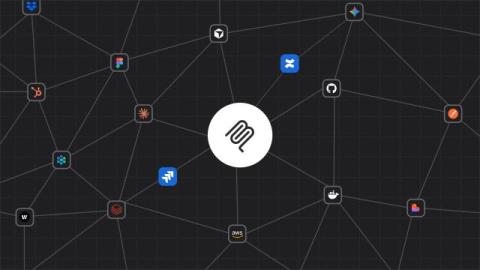
Many teams already have valuable knowledge stored in Confluence — but it’s often disconnected from support experiences. The Knowledge connector for Confluence lets you bring existing Confluence content into Zendesk so it can be used across help center search, Agent Workspace, and AI-powered responses. This means customers, agents, and AI agents can surface answers from Confluence without duplicating content in Zendesk.

Unlock true team availability with Google and Outlook Calendar events in Planning views

When scheduling resources, the difference between perceived availability and actual availability can make or break your project timelines. You might think a team member is free and begin assigning work, only to find out they’re booked solid in meetings all afternoon. How do you mitigate this? Well, Teamwork.com’s Planning views are getting a whole lot smarter—Google Calendar and Outlook Calendar have moved in!

Stylo and Geckoboard: bringing customer sentiment into Zendesk dashboards

If you lead a support team, you already have plenty of data. Seeing how many tickets are coming in, how long customers are waiting, and whether your team is hitting SLAs is pretty straightforward (especially when using Geckoboard to monitor Zendesk KPIs in real-time!). But what’s often not so obvious is where things are about to go wrong - which conversations are quietly becoming frustrating, which customers are at risk of churning, or where agents are under the most pressure right now.

Make every meeting matter with Miro Engage

According to research from the University of North Carolina, 71% of managers consider meetings unproductive. But the problem isn’t just calendar bloat. The sessions that should drive impact — all-hands that build culture, training that develops skills, retrospectives that spark improvement — often feel like one-way presentations where most people tune out.

5 intelligent cost-saving initiatives with workforce analytics

Intelligent cost-saving initiatives use workforce analytics to reduce costs by improving how work actually gets done and enabling smarter, more sustainable decisions. In this article, you’ll learn how workforce analytics helps you: Together, these five (5) approaches show how you can reduce costs, protect productivity, and improve return on investment by making decisions grounded in real work patterns. When you’re under pressure to reduce costs, the instinct is often to cut budgets fast.

Project implementation plan: What to include and 5 essential steps

•A project implementation plan explains how a project will be carried out, defining goals, scope, responsibilities, resources, and timelines so everyone is aligned from the outset. •Starting with an implementation plan improves project outcomes by creating a clear roadmap, aligning stakeholders around shared goals, and reducing miscommunication. •Clear ownership within an implementation plan strengthens accountability, making it easier to track progress and address issues early.