







Cork, Ireland
2007
  |  By Ben Brigden
A closed-won deal should be the easiest project you ever start. You already know the client, the work, and the budget. So why does delivery so often begin from a cold start, digging through a CRM and a sales rep's memory to rebuild what sales promised? That gap is the pipeline to project handoff, and most teams treat it as an afterthought. This guide gives you a framework: the Handoff Ledger.
  |  By Ben Brigden
Strong work deserves an invoice that reflects it accurately, yet I keep seeing the opposite across service teams. You deliver good results all month, then lose two days rebuilding what happened from timesheets, threads, and memory before you can bill. By the time the invoice goes out, few people could defend a single line on it. That gap between delivered work and the client invoice is where margin quietly slips. It usually starts when time tracking and invoicing live in separate places.
  |  By Ben Brigden
You didn't lose that margin at the month-end close. You lost it three weeks earlier, on a Tuesday, when a senior consultant absorbed two days of "quick tweaks" that never hit a change order. The close is just when you found out. That delay between losing margin and seeing it is the whole problem. It's why margin erosion in professional services keeps happening to firms that swear they run a tight ship. This guide breaks down what erosion really is and the four places it leaks.
  |  By Ben Brigden
Choosing project billing software by feature list is how teams end up with a tool that invoices beautifully and still loses money. I work at Teamwork.com now, but I spent years running agency accounts, and the same lesson held: the billing model behind the invoice mattered more than the invoice itself. Clients are sharper on price than they've ever been, and they'll question an invoice the moment the value isn't obvious. That pressure punishes any team whose billing and delivery data don't line up.
  |  By Ben Brigden
Most PSA roundups rank tools the way a systems integrator would buy one: neat scopes, predictable milestones, one billing model. Creative and digital agencies don't run that way. You've got three retainers renewing this week and a campaign in its fourth round of revisions. Two freelancers started Monday. And your finance spreadsheet only tells you a project lost money after the invoice already went out.
  |  By Ben Brigden
Project scoping for agencies is the difference between a profitable engagement and one you deliver half for free. I've read hundreds of agency scope documents, and the ones that hold margin aren't the most detailed. They're the ones where every promise ties to a price, a boundary, or a trigger for a paid change. This guide gives you a margin-first way to scope, a seven-step process, and the pricing decisions that make it stick.
  |  By Ben Brigden
A brief that only inspires is a brief that leaks. This creative brief guide reframes the brief as a scope contract, not a mood-setting document. I spent nine years in agencies watching beautiful, on-strategy briefs sail through kickoff. Too many still ended in three rounds of unpaid revisions, because the document was built to fire people up, not to hold a line. So this guide gives you a repeatable way to write one.
  |  By Ben Brigden
Most guides on this topic sell you the same thing: another link where clients drop files so they stop clogging your inbox. That is a real problem, and a shared space does fix it. But it is the smallest version of what this tool can do for a firm that lives on billable work. Before I joined Teamwork.com, I spent nine years in agencies where client reporting was a half-day, blank-page scramble every week. I want to show you why the portal you pick either protects your margin or quietly leaks it.
  |  By Dhan Mannakkara
Open the Log Time modal in Teamwork.com, click over to the Log my day tab, and the entries are already there: an hour on a client kickoff call, thirty minutes on competitor research, two hours drafting a homepage design. Teamwork.com built each of these from the tasks and projects you actually worked in today, before you typed a single word.
  |  By Ben Brigden
Pricing pressure is not theoretical anymore. In Teamwork.com's Value Beyond Price research, 66% of senior leaders say clients are more demanding and less willing to pay, and consultants sit among the groups feeling that squeeze hardest.
  |  By Teamwork.com
Best PSA software for agencies and consultancies in 2026 - ranked and compared. If your sales sit in one tool, projects in another, and billing in a third — while your actual profit margins disappear into a spreadsheet — this video is for you. Professional Services Automation (PSA) software pulls project delivery, resource planning, time tracking, billing, and profitability into one system so you can see whether client work is making money WHILE it’s happening, not at month-end.
  |  By Teamwork.com
If your team's time is disappearing into a black hole, you're not alone. Without accurate time data, managing resources, budgets, and capacity becomes guesswork. In this video, we break down why employee time tracking is the foundation of smarter resource management and how to pick the right tool for your team. Why Teamwork.com is our top pick for project-based teams Whether you're a team lead, agency owner, or operations manager trying to get a clearer picture of where the hours go, this guide will help you choose software that fits the way your team actually works.
  |  By Teamwork.com
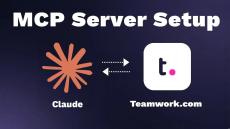
Learn how to connect the Teamwork.com MCP server to Claude and use Claude with Teamwork.com and Teamwork Desk. In this walkthrough, we show you how to enable the Teamwork MCP server in Teamwork.com, add it as a custom connector in the Claude desktop app, authenticate your account, and start using Claude to review project data and take action. Using the example project Murphy Investment Co, you’ll see how Claude can return a project overview, surface open tasks, highlight priorities, and help you work more efficiently across Teamwork.
  |  By Teamwork.com
Business transformation expert Tom Goodwin offers some hot takes on AI and the findings in Teamwork.com's Client Work Report. Read the full thing here.
  |  By Teamwork.com
Teamwork Workflows allow professional services firms and agencies to standardize task management across multiple client projects using custom stages and automations, ensuring process consistency and improved efficiency.
  |  By Teamwork.com
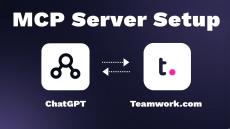
Learn how to set up the Teamwork.com MCP Server so you can use ChatGPT to work with your Teamwork data (Teamwork.com and Teamwork Desk) In this step-by-step guide, we’ll walk through enabling the MCP Server in your Teamwork account, connecting it through ChatGPT’s Apps & Connectors, and granting access so ChatGPT can help you with tasks, projects, tickets, and more.
  |  By Teamwork.com
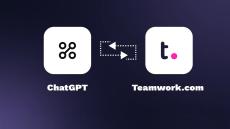
You can now connect Teamwork.com with ChatGPT using the new ChatGPT Connector, bringing your projects, tasks etcright into your ChatGPT conversations. In this quick tutorial, we’ll show you how to set up and use the new Teamwork.com connector — so you can find information faster, plan smarter, and move from idea to execution without leaving ChatGPT.
  |  By Teamwork.com
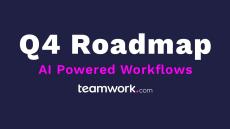
Discover how Teamwork’s AI helps you work smarter, automate workflows, and deliver client projects with ease. Discover what’s next for Teamwork.com in our Q4 Product Roadmap webinar. We’re unveiling a new wave of AI-powered workflows, smarter automation, and enhanced integrations designed to help teams plan, deliver, and profit from every project with greater speed and clarity.
  |  By Teamwork.com

Find out more about how you can allocate work to your team the right way http://bit.ly/4omSzld

Today, Teamwork Chat, Teamwork Projects, Teamwork Desk form the backbone of Teamwork.com. Each product serves to enhance the performance of teams by coordinating both process and people simultaneously.

Teamwork Projects is all about getting things done by creating task lists and tasks and assigning them to the team. It increases visibility across each project as well as aligning every dependent function within the business.

Teamwork Desk incorporates the customer into the equation. It streamlines all contact between you and your customers by way of a ticket management system. It creates a much more efficient process for handling customer queries.

Teamwork Chat is an instant messenger that can be used by all of the team for immediate communication. Each of the three products integrates together seamlessly. Every user has the ability to create an action within each product that influences activity in another. Creating a task for Teamwork Projects as a result of a ticket received in Teamwork Desk.