Teams | Collaboration | Customer Service | Project Management

The latest News and Information on Collaboration, tools and related technologies.

Email Settings: Appearance

Under the Appearance tab in your OneDesk Email Settings, you are able to edit some visual aspects of your email messages. If you have completed the Getting Started Wizard in OneDesk, you would have already edited aspects of the header (the logo) and added a signature. The email header and signature you set will be what OneDesk uses to wrap all your emails in. We put these at the top (header) and bottom (signature) of every email from OneDesk.

6 Steps for Effective Call Center Monitoring (2021 Guide)

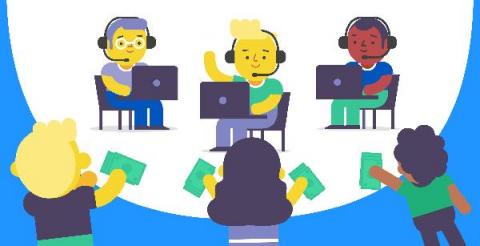
Curious about call center monitoring? Call centers are the focus of global, on-call customer service. And ensuring excellent customer service via call centers is crucial to every type of business. This is why call center monitoring is becoming increasingly important. But how do you start the call center monitoring process? This article will explore call center monitoring, the six steps for effective call center monitoring, and its key benefits.

Customer Service Automation: Benefits and How to Get Started

We live in an increasingly connected age where you can get real-time updates on practically any topic and have packages delivered to your door the next day at the click of a button. The result of this connectivity is that customer expectations are changing rapidly. One area, in particular, is customer service. When consumers have questions or problems, they want answers right away. Fail to meet those expectations and you risk customers switching to other alternatives.

What is CX and how has it changed in 2021?

Customer experience (CX) has always been integral to a company’s success, but its significance has grown considerably in the midst of the COVID-19 outbreak. According to the Zendesk Customer Experience Trends Report 2021, half of all customers say that CX is more important to them now than it was a year ago.

Onboard employee using chatbot in 10 minutes

Hazzle free onboarding of employee on different organizational apps using Workativ Assistant "We take you through Workativ Assistant, a SaaS no-code platform that builds, automates and deploys conversational AI chatbots with workflow automation. In this video, we would cover Chatbot Builder, Workflow Builder and Chatbot integration functionalities along with a live scenario of employee onboarding in MS Teams using Workativ Chatbot

Offboard employee using chatbot in 10 minutes

Revoke access for an inactive employee? Use Workativ Assistant to deactivate/remove user from different organizational apps "We take you through Workativ Assistant, a SaaS no-code platform that builds, automates and deploys conversational AI chatbots with workflow automation. In this video, we would cover Chatbot Builder, Workflow Builder and Chatbot integration functionalities along with a live scenario of employee offboarding in MS Teams using Workativ Chatbot

How to build Digital Assistant in 10 Mins

Learn how to create a intelligent Digital Assistant with workflow automation capabilities in less than 30 minutes "We take you through Workativ Assistant, a SaaS no-code platform that builds, automates and deploys conversational AI chatbots with workflow automation. In this video, we would cover Chatbot Builder, Workflow Builder and Chatbot integration functionalities along with a enduser chatbot for workplace support

How to facilitate a successful virtual breakout group session

If you’ve participated in a workshop, conference, or brainstorm, then you’ve probably experienced a breakout session. That’s when the meeting facilitator divides up participants into smaller groups to privately discuss a topic. When done correctly, breakout sessions are an excellent opportunity to have candid conversations and connect with other participants on a more intimate level than a broader meeting allows.