Teams | Collaboration | Customer Service | Project Management

The latest News and Information on Collaboration, tools and related technologies.

Stop Sending Sensitive Files Through Random Apps | Secure File Sharing #troopmessenger

Sensitive business files deserve more than random messaging apps. Uncontrolled file sharing can create unnecessary copies, scattered conversations, and less visibility over important business information. With Troop Messenger, teams can communicate and collaborate through a centralized business communication platform with secure file sharing and enterprise-focused controls. Choose a smarter way to share and collaborate.

Chanty for Internal Communication: One Platform for Chat, Calls, and Tasks

Every company, whether it has five people or five hundred, develops its own communication maze. Nobody plans it. It grows one reasonable decision at a time: a chat tool here, an email thread there, a spreadsheet someone started “just for now,” a shared drive no one fully trusts. Each piece makes sense alone. Together they form corridors that keep leading back to the same question: where is that decision, and who owns it? None of this looks dramatic on any single day.

Who Really Owns Your Business Chat Data? | Troop Messenger #Shorts

Who really controls your business conversations, files, and communication data? Business messaging isn't just about sending messages. Your team's conversations can contain sensitive company information, customer details, files, and internal discussions. In this Short, discover why secure business communication and data control matter for modern organizations. support@troopmessenger.com.

Field Service Communication: Keeping Growing Teams in Sync From Office to Job Site

A technician kneeling under a customer's sink has three questions in mind: what happened on the last visit, is the right part on the truck, and who to call if the job turns out bigger than quoted. On a crew of five, the answers live in someone's head. On a crew grown to fifteen or twenty, they're scattered across personal phones, half-remembered calls, and a shared inbox nobody fully trusts. That's the point where field service communication stops being a habit and needs an actual system.

The smallest team that can actually do the work

Josh Guice, Field CTO at Liatrio, says he can usually tell within the first few conversations whether a client’s AI rollout is actually working. Two or three people are quietly doing something impressive with it. Everyone else is stuck, spending more time wrestling with the tools than they used to spend on the work those tools were supposed to replace. He compares it to dropping a new graphics card into an old motherboard. The card itself is fine.

AI agent for benefits enrollment: Answering employee questions at scale

“What's the difference between our PPO and HDHP?” “Can I add my spouse?” “How much can I contribute to my HSA?” “When is the deadline?” “Did my enrollment actually go through?” As you see, open enrollment creates a predictable surge of questions for HR.

AI Agent for HR Self-Service: How Employees Get Answers and Take Action Without Contacting HR

Employee self-service was meant to make HR easier. But in many companies, employees still have to jump between portals, policies, forms, and HR systems just to get one simple thing done. Need to check a leave balance? Find the HRIS. Need a benefits answer? Search SharePoint. Need to know whether a request was approved? Open another system or ask HR. That is self-service, but it still puts a lot of work on the employee. An AI agent for HR changes that experience.

Putting it online is the easy bit

TL;DR When deploying a service on your infrastructure, it can be tempting to just grab open source containers and roll them out with simple tools. Docker compose or ansible playbooks can do a fantastic job at rolling out a few containers in no time. But putting simple services online is the easy bit. The more containers in your stack, the more difficult it becomes to deploy them consistently, and the more chances for it to break.

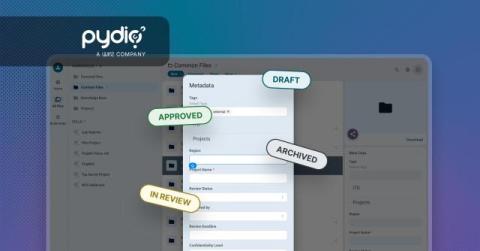
Pydio v5.1: Gain More Control Over Tag Cloud Metadata

Tag Cloud metadata fields are meant to make files easier to find, but only if the values in them stay consistent. Left open-ended, they tend to fill up with near-duplicates and typos ("Marketing," "marketing," "Mkt") that quietly undermine search and filtering. Pydio v5.1 gives administrators a way to fix that: you can now define and restrict which values are available in Tag Cloud fields, so users pick from a controlled list instead of typing free text.

Using Chanty for Construction Crew: Keep the Office and the Field on the Same Page

“Who the *** changed the plan?!” Pretty realistic for a typical morning on a construction site, isn’t it? A crew shows up ready to work and finds out the plan changed somewhere up in the office, but the information didn’t make it to the field in time. Almost every superintendent, foreman, or project manager has said it, heard it, or dealt with the fallout.