Teams | Collaboration | Customer Service | Project Management

How to Asana | Plan your day

Plan your day the Asana way with My Tasks and Inbox. Rather than tracking to-dos in emails or your head, start by visualizing your day's work in My Tasks. Here, you'll see all the tasks assigned to you across every project in your organization. Create new tasks for work you need to get done, organize your tasks with sections, or group them by things like due date or project. And choose your favorite view. Open the detail pane to find all the context you need to start working. And when you're done, complete the task.

How to Asana | Navigating Asana

New to Asana? Let's take a quick tour. From the top bar, you can access your settings, search for work, or create new items. Use the sidebar to move between different spaces in Asana, and invite teammates. Star important items to add them to your sidebar, and collapse it if you need more room. From any project, click on the right side of a task to see its details and add comments. Focus on today's task by using full-screen mode.

Broken silos and jargon monoxide with Dr Bob Sutton and Dr Huggy Rao | Experts Unleashed | Atlassian

We have a special episode this week with not one, but TWO guests! Dr. Bob Sutton is an organizational psychologist at Stanford University and best-selling author of eight books. He studies leadership, innovation, organizational change, and workplace dynamics. Bob’s main focus over the past decade has been scaling and leading at scale - how to grow organizations, spread good things (and remove bad things) in teams and organizations, and enhance performance, innovation, and well-being given the distinct challenges in big organizations.

The Essential Guide to Business Process Mapping

With the range of disparate personalities and ways of thinking on your team, how do you get everyone to see something the same way? Moreover, how do you get your whole team to actually perform a task or a process in the same way, every time? Business process maps are a framework intended to do just that: layout a process graphically so that everyone has the same vision of it and can perform it the same way.

What is a Customer Portal and Why It's Essential for Your Business

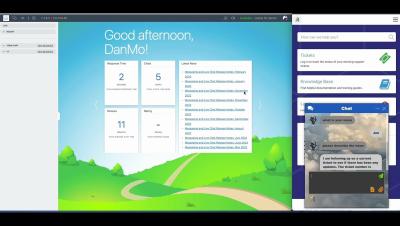
Effectively, a customer portal is an online platform, usually a website or an application that allows your customers to access your services through the internet. With the help of a customer portal, they may be able to log into their account, see relevant information such policies and invoices, review past deliveries and orders, and adjust options to make your service suit their needs better.

How to make a flowchart for programming: a guide for developers

Process and workflow visualization is a critical tool for software engineering, product, and design teams. It’s how they organize and structure their application design and code, troubleshoot problem areas in their systems, and share knowledge about the project and product with their teams.

Essential Security Measures for Messaging Apps

Messaging apps are online platforms created for instantaneous interactions among individuals. They ease communication via text, voice, and video. They often let users share files, group messages, and use multimedia. Security, simplicity, and versatility drive messaging app choices. Pick one that encrypts chats, feels intuitive, and works across devices. The ideal app must meet your communication needs. It should balance privacy, ease of use, and compatibility.