

|
By Rony Joseph
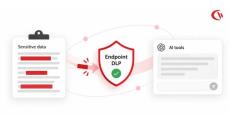
Generative AI has transitioned from a novel innovation to a critical workplace productivity tool. Employees are rapidly adopting various generative AI tools, including Microsoft’s Copilot, ChatGPT (OpenAI), Claude (Anthropic), etc., to code, summarise, interpret, answer questions, and accelerate tedious business processes.
|
By Rony Joseph
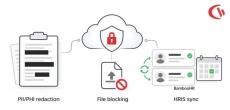
Our latest cloud release offers three new capabilities that are focused on one goal: to protect the data you can’t afford to lose and sync data that you can trust. A quick summary of what’s new: You can now stop sensitive data from being leaked the moment it is copied, control which files can be uploaded to applications, websites, or emails, and sync employee records straight from your HR system.

|
By Mike Noseworthy
The fast-growing company does not have a large IT team, resources dedicated to security, or weeks to deploy an enterprise workforce analytics solution. Despite all this, organizations demand intelligence on how their workforce leverages the tools that they employ, where the bottlenecks lie, and how effective they are at safeguarding the organization’s data. That creates a difficult balancing act.

|
By Tony Lynn
Just providing employees with laptops and VPNs will not be sufficient for protecting a distributed workforce in 2026; IT managers will also have to put in place a framework, that is, a written agreement which outlines network access, the rules concerning data loss prevention (DLP), and the way in which employees are to be monitored so as to take into account both security issues and the legal nuances of current state privacy laws.
|
By Tony Lynn
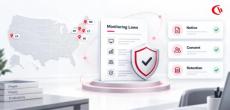
The location from which employees log in remained the same with the introduction of hybrid working; instead, it was the level of visibility that employers believed was necessary and the amount of scrutiny that this visibility drew that changed. In six states, laws require notice and consent for workplace monitoring; in Connecticut, rules became stricter on October 1, and Maine’s new law took effect this July.
|
By Tony Lynn
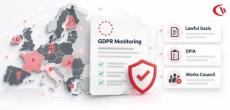
When using employee computer monitoring software across the European Union (EU), companies have to find a balance between two legitimate, yet conflicting, aims: the safeguarding of corporate networks, know-how and confidential data on the one hand, and the preservation of employees’ privacy and fundamental rights on the other.
|
By Mike Noseworthy
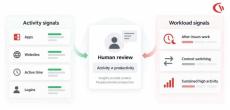
As distributed and hybrid work become the default operating model in 2026, a new productivity dilemma is emerging for organizations: How can organizations measure remote employee productivity without setting up a system that causes exactly the opposite- a loss of focus, engagement and sustainable performance? Productivity monitoring tools have long relied on visible activity.

|
By Rony Joseph
As hybrid and distributed work matures into 2026, enterprises’ visibility challenges become more nuanced than whether an employee is logged on or off. IT leaders need visibility into how corporate applications, websites, devices, networks, etc., are accessed, but they also need to know how much information to collect.
|
By Mike Noseworthy
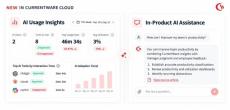
AI is changing both how employees work and how IT teams manage the tools they rely on. We are building for both. This week, we added two new AI capabilities to CurrentWare Cloud. AI Usage Insights is the workplace side that shows you which AI tools your employees are actually using, how adoption is trending across teams, and where unapproved tools are showing up.
|
By Derek Brennan
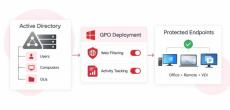
Active Directory Web Filtering & User Activity Tracking: Complete GPO Setup Guide Strong endpoint security, compliance, and greater employee productivity in hybrid environments require close integration with the organisation’s core identity infrastructure. In enterprise Windows networks, Active Directory Domain Services (AD DS) form the essential basis of the firm’s identity.
|
By CurrentWare
It offers real-time visibility into team productivity, detecting idle time and active engagement to optimize performance. By capturing authentic usage patterns, it helps organizations make informed decisions and boost accountability. Waking.
|
By CurrentWare
Discover how to set up comprehensive productivity dashboards, monitor real-time team activity, customize insights by employee and location, and optimize resource allocation with actionable analytics.
|
By CurrentWare
Learn how to deploy Currentware Agent across your organization, configure agents along with device management.
|
By CurrentWare
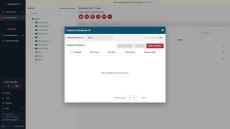
Today I’m going to show you how to get started with implementing your first PC power management policies with enPowerManager. This video will cover the key features of enPowerManager, including: For the best results, set enPowerManager to PC mode rather than User mode. This will give you access to the most features. Before watching this video you should already have the CurrentWare web console set up, the CurrentWare Clients installed on the computers you would like to manage, and your users or computers placed in their own policy groups.
|
By CurrentWare
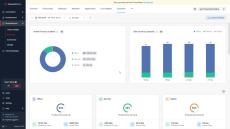
Don’t let internet abuse run rampant in your organization. Take back control over web browsing with a free trial of BrowseControl. BrowseControl is an easy-to-use web content filtering software that helps organizations enforce policies, improve productivity, reduce bandwidth consumption, and meet compliance requirements - no matter where their users are located.
|
By CurrentWare
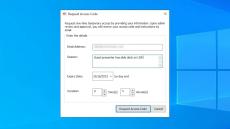
Monitoring employee internet use is essential for ensuring productivity, security, and compliance among in-office and remote employees alike. In this video you will learn how to monitor employee internet use, the critical role that employee monitoring software plays in protecting your business, and some best practices for monitoring employee internet usage. TIMESTAMPS RELATED VIDEOS FOLLOW US ONLINE.
|
By CurrentWare
Don’t let a preventable data leak ruin your organization. Take back control over portable storage devices with a free trial of AccessPatrol USB device control software. Stop Data Theft to Removable Storage Devices Audit USB Activity to Investigate Data Breaches Get Alerts of High-Risk USB Device Usage Portable storage devices such as USB flash drives are a convenient way to transfer files and store data, but they’re not without their risks.
|
By CurrentWare
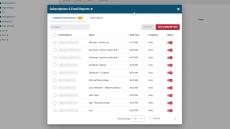
With the new “Subscribe to Dashboard Widgets” feature you can automatically share dashboard widgets to designated inboxes at a set schedule, much like you can with BrowseReporter’s email reports. In addition, we’ve added the option to manually export the active/idle timeline view as a PDF for easy ad-hoc sharing. This setting was introduced in CurrentWare v10.0.2.
|
By CurrentWare
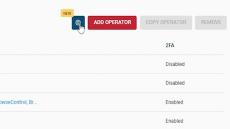
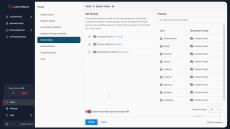
The new Operator Access Isolation feature prevents non-admin operators from viewing or editing other operators’ configurations, such as email report schedules. This setting was introduced in CurrentWare v10.0.2.
|
By CurrentWare
Learn how to import your Active Directory security groups into your CurrentWare web console. CurrentWare supports integrations with your Active Directory security groups or organizational units to simplify managing security policies and data reporting processes in the web console. This integration was introduced in CurrentWare v10.0.2.
- October 2026 (3)
- September 2026 (16)
- August 2026 (1)
- July 2026 (3)
- April 2026 (4)
- March 2026 (1)
- February 2026 (2)
- January 2026 (5)
- November 2025 (8)
- October 2025 (4)
- August 2025 (4)
- July 2025 (5)
- June 2025 (1)
- May 2025 (3)
- February 2025 (1)
- January 2025 (1)
- October 2024 (6)
- September 2024 (2)
- July 2024 (1)
- June 2024 (1)
- May 2024 (2)
- March 2024 (1)
- February 2024 (1)
- January 2024 (1)
- October 2023 (1)
- June 2023 (8)
- May 2023 (3)
- April 2023 (1)
- March 2023 (2)
- February 2023 (3)
- January 2023 (1)
- October 2022 (1)
- September 2022 (6)
- June 2022 (1)
- May 2022 (5)
- April 2022 (1)
- March 2022 (8)
- February 2022 (5)
- January 2022 (3)
- December 2021 (1)
- November 2021 (1)
- October 2021 (2)
- September 2021 (1)
- August 2021 (1)
- July 2021 (2)
- May 2021 (3)
- April 2021 (2)
- February 2021 (1)
- December 2020 (4)
- November 2020 (1)
- October 2020 (2)
CurrentWare’s user activity monitoring, web filtering, and device control software gives you advanced control and visibility over your entire workforce.
Improve employee productivity, data security, and business intelligence with advanced awareness and control over how technology is used in your organization. Each solution operates from the same central console, allowing you to easily manage the entire CurrentWare Suite from the convenience of a web browser.
Discover Our Products:
- Employee Monitoring: BrowseReporter is a versatile employee monitoring software to track productivity and efficiency. Easily monitor web browsing and application usage with intuitive user activity reports.
- Web Filtering: BrowseControl is an easy-to-use website blocking software for restricting internet access. Enforce internet use policies, block distracting websites, and improve internet security with granular internet access control policies.
- Device Control: AccessPatrol is a data loss prevention and USB control software to protect sensitive data against theft to portable storage devices. Block USB devices and other peripherals to mitigate the threat of USB malware and data leakage.
- PC Power Manager: enPowerManager is an effective solution for remotely managing PC power policies across an enterprise to conserve energy and reduce costs. With a simple click of the mouse computers can be remotely shutdown or booted automatically at different times during the day.
Intuitive and Flexible Solutions.