Teams | Collaboration | Customer Service | Project Management

Scoro Named Top Performer for Enterprise Project Management Software

Scoro has been named a Top Performer in the Enterprise Project Management Software category for the Summer 2021 Customer Success Report published by FeaturedCustomers. FeaturedCustomers is the leading customer success content marketing platform for B2B business software & services helping potential B2B buyers make informed purchasing decisions through vendor validated customer success content such as customer testimonials, success stories, case studies, and customer videos.

Contact Center vs Call Center: 5 Key Differences to Know

When a customer contacts your business or brand, they may do so via your customer service. Traditionally, the communication happened exclusively through voice calls in call centers. However, customers can now contact a company through multiple communication channels like emails, website chatbots, social media, etc., managed via contact centers. But what exactly are the differences between contact center vs call center? Don’t worry.

How To Understand Customer Touch Points And Their Impact

Jenny wakes up every morning at 8 am. While sipping her coffee, she opens up your company’s app to check the weather that day. Later, between work calls, Jenny checks your website on her laptop to see if it’s going to be windy in the afternoon – maybe it’s a good day for a bike ride? In the evening, while scrolling through Instagram, she sees your ad to subscribe to a new weather newsletter catered to cyclists.

9 must-have scrum tools features to help your team stay agile

An absolute integral part of project management is the tools teams use to progress, track, benchmark, and ultimately, complete projects. And with a 2020 State of Agile Report stating 58% of companies rely on scrum frameworks, it's a no-brainer why the actual scrum tools features are make-or-break when it comes time to choose the perfect software. Not only do the best scrum tool features help optimize workflow and track overall performance, they also encourage collaboration and enhance productivity.

Hybrid Work and Enterprise Communication Trends

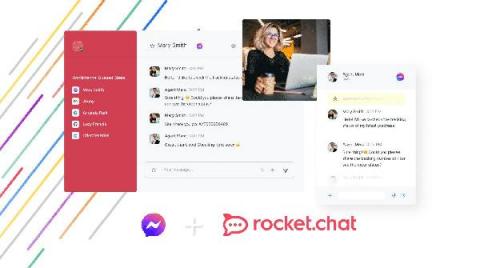
⚡ With the emergence of remote and hybrid work, workplace communication has become top concerns for organizations across the world. 👉 Join our world-class speakers Marius Neidlinger (Rocket.Chat), Markus Kirsch (Rocket.Chat), Oliver Jägle (DB Systel) and Henning Dransfeld (ISG) to talk about the future Enterprise Communication.

OneDesk - Getting Started: Chart Widget

OneDesk’s ticket and task applications include a helpful and visual chart widget at the top. This widget allows you to easily monitor who is working, on what, running timers, progress updates, and more. OneDesk combines Help Desk & Project Management software into a single application. OneDesk also includes customer-facing applications: real-time chat, customizable webforms, and a customer portal. These integrated applications allow you to serve your customers while conveniently working on your projects in one platform.

OneDesk - Getting Started: Work Structure & Organization

OneDesk enables you to structure and organize your work with projects, portfolios, folders, and views. OneDesk combines Help Desk & Project Management software into a single application. OneDesk also includes customer-facing applications: real-time chat, customizable webforms, and a customer portal. These integrated applications allow you to serve your customers while conveniently working on your projects in one platform.