Teams are rarely hurting for good ideas for products, campaigns, and initiatives. But they do lack visibility into what’s already been done. These habits can help.
I spoke with 14 ops leaders about where their money actually goes. The answer is rarely a single disaster. It’s a thousand tiny, sensible-sounding decisions that nibble away at profit until your bank account no longer reflects your record sales month. Margins aren’t lost. They’re eroded. Here are the 10 most common operational traps we identified, and the fixes that actually work.
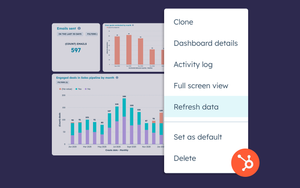
If you’re here because you’ve got a fast-moving sales floor (or a support queue), and HubSpot dashboards aren’t keeping up… you’re not alone. HubSpot dashboards refresh, but not in real time - here’s what’s possible, and how to get a faster live view. HubSpot is brilliant for logging and managing the work.
When you’re running a small business, every little thing hits a little harder. One lost update. One ambiguous message. One minute’s lag. That is all it takes to get the feeling that everything is slipping through your fingers. We know the feeling — because we’ve lived it. Chanty didn’t start in a big shiny office with a ten-year roadmap. It started with four people, one shared dream, and a determination to build something better in the sea of competitors.
Business communication always was some kind of a chaos. Even when everyone shares the same office, things like messages, context, tasks can get lost. Now imagine adding distance, time zones, and a pile of tools that don’t talk to each other. That’s when communication really starts to break down. Communication was never easy. Every person has their own way of understanding. Sometimes you need to adjust your tone, choose your words more carefully.
The curtains have closed on Skype – and with them, an entire chapter in the history of global connectivity. For years, Skype was the platform where global voices converged. It wasn’t just software – it was a symbol of a more connected world. From boardrooms to living rooms, it carried pitches, support calls, team updates, and late-night brainstorms across oceans. It made faraway places feel a little less distant. But now, the spotlight has shifted.
To lead performance reviews for remote employees with trust and data, you focus on outcomes, work patterns, and shared context instead of visibility or assumptions. This approach helps you run fair, consistent reviews that support growth, reduce bias, and protect work-life balance.
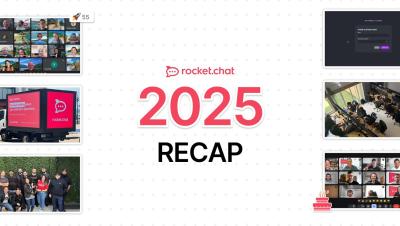
Before we get too far into 2026, we’re taking a moment to reflect on what brought us here: the commitment to show up, connect, and build together. This video highlights the moments and achievements that shaped our 2025 — and the collaboration that made them possible. As we continue building ahead, let’s keep dreaming, owning, trusting, and sharing in 2026. Interested in joining us in the future?
If I’m searching for “task tracker Excel,” it’s usually because I don’t want anything complicated. I just want a simple way to stay on top of my tasks without adding more stress to my day. And honestly, that makes complete sense. Excel was my go-to for task tracking for years and for good reason. It’s familiar, flexible, and easy to shape around the way I already work.