Teams | Collaboration | Customer Service | Project Management

IT asset management: Track and manage employee devices directly in Zendesk | What's New

Employee support issues often tie back to the devices people rely on every day. But asset details don’t always live where tickets do. IT asset management in Zendesk gives internal service teams a single place to track and manage employee devices alongside support tickets. Teams can view asset details like status, ownership, location, and related ticket history, helping agents resolve issues with more context and less back-and-forth. IT specialists and asset managers can even assign devices and manage inventory all within Zendesk.

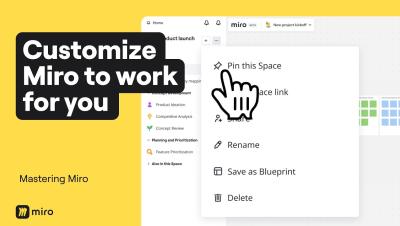
4 Levels of Miro Customization to Save Hours of Work

Most people use Miro as it comes out of the box, but power users know that customizing your workspace can save you hours every week. In this video, we walk through four levels of Miro customization, from quick toolbar tweaks to building AI workflows tailored to how your entire team thinks and works. By the end, you won't just have a faster Miro setup. You'll have an AI Innovation Workspace that captures your team's best practices, speaks your language, and gets smarter the more you use it.

Why Your Dashboard Is Lying and What Work Intelligence Actually Shows You

Most dashboards show data. Charts, numbers, percentages. But they don't show how work actually happens — or where your margins are quietly leaking. If you're leading an IT firm, agency, BPO, or field ops team, this video is for you. In this video, you'll see.

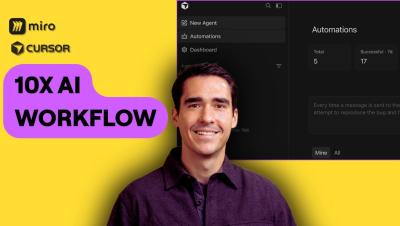
Use Cursor Automations platform with Miro MCP to uplevel your AI Workflows

In this video, Horea Porutiu (Developer Advocate at Miro) demonstrates how to leverage Cursor’s new Automation feature alongside the Miro MCP (Model Context Protocol) server. Watch as we build a custom automation that triggers from a Slack message to automatically generate documentation, comparison tables, and flowcharts directly on a Miro board. If you're looking to streamline the tedious parts of your engineering workflow and focus on creative problem-solving, this AI-driven integration is for you.

Slack School | A New User's Guide to Slackbot

Starting a new job is exciting, and getting settled in Slack is the best way to hit the ground running. In this episode, we’ll show you how Slackbot can help you navigate your new workspace like a pro. From finding the right experts and summarizing channels to building out a 30-60-90 day plan in a canvas, see how simple prompts can help you get oriented fast. Class dismissed!

Connect Claude to the Teamwork.com MCP Server

Learn how to connect the Teamwork.com MCP server to Claude and use Claude with Teamwork.com and Teamwork Desk. In this walkthrough, we show you how to enable the Teamwork MCP server in Teamwork.com, add it as a custom connector in the Claude desktop app, authenticate your account, and start using Claude to review project data and take action. Using the example project Murphy Investment Co, you’ll see how Claude can return a project overview, surface open tasks, highlight priorities, and help you work more efficiently across Teamwork.