As hybrid and distributed work matures into 2026, enterprises’ visibility challenges become more nuanced than whether an employee is logged on or off. IT leaders need visibility into how corporate applications, websites, devices, networks, etc., are accessed, but they also need to know how much information to collect.
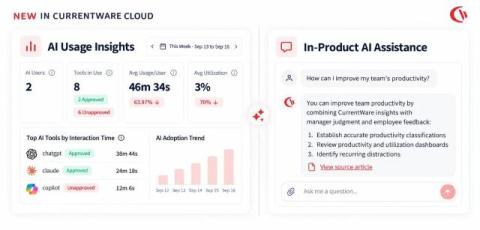
AI is changing both how employees work and how IT teams manage the tools they rely on. We are building for both. This week, we added two new AI capabilities to CurrentWare Cloud. AI Usage Insights is the workplace side that shows you which AI tools your employees are actually using, how adoption is trending across teams, and where unapproved tools are showing up.
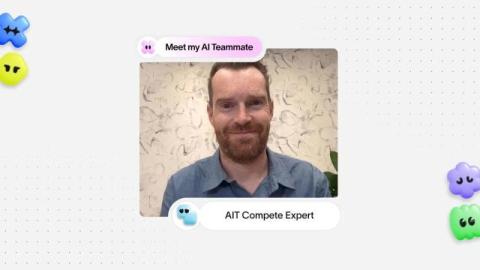
When Andrew King, who heads up competitive intelligence at Asana, needs to help a sales representative win a deal, the information has to be exactly right. This means sourcing specific, current details customized for each individual rep. King supports a 400-person sales team. Each rep is working different deals, facing different competitors, and at different stages of the sales cycle.
Choosing project billing software by feature list is how teams end up with a tool that invoices beautifully and still loses money. I work at Teamwork.com now, but I spent years running agency accounts, and the same lesson held: the billing model behind the invoice mattered more than the invoice itself. Clients are sharper on price than they've ever been, and they'll question an invoice the moment the value isn't obvious. That pressure punishes any team whose billing and delivery data don't line up.
Most PSA roundups rank tools the way a systems integrator would buy one: neat scopes, predictable milestones, one billing model. Creative and digital agencies don't run that way. You've got three retainers renewing this week and a campaign in its fourth round of revisions. Two freelancers started Monday. And your finance spreadsheet only tells you a project lost money after the invoice already went out.
Time tracking for lawyers helps record billable and non-billable hours, organize time by clients or matters, automate timesheets, and improve billing accuracy.
A WhatsApp ticketing system helps support teams deal with a problem many organizations already face: employees asking for help through chat instead of formal support channels. Employees rarely think in terms of “support channels.” When they need assistance, they simply open the tool closest at hand. In many workplaces, that means sending a quick message through WhatsApp.
A message lands in a work chat: “Can you update this before lunch?” It is quick, direct, and almost useless without context. Which version needs updating? What changed? Who asked for it? Is there a file somewhere? A fast message can still create slow work when the person receiving it has to reconstruct everything that was left out. Modern teams are very good at moving information quickly.
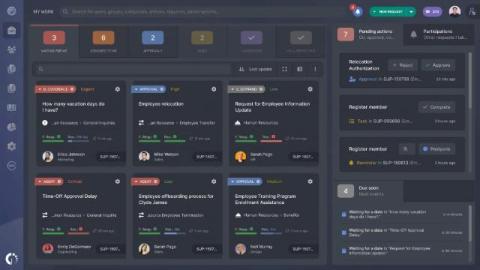
Picking a ticketing system for an internal IT team comes down to one practical question: how quickly can an employee get unblocked when a laptop dies, an account locks them out, or a piece of software stops working. When requests scatter across email, Slack DMs, and hallway conversations, nothing gets a real owner, nothing gets tracked, and the same problem gets reported three different ways before anyone touches it.