Teams | Collaboration | Customer Service | Project Management

Organizational Inertia Explained: Spot It, Fix It, and Change!

All of your employees are working tirelessly, but the business? Hardly even moving. No new ideas, no creative decisions, just old ways of doing things. That’s organizational inertia, the immovable force that keeps even smart teams stuck. Without breaking the resistance, even top businesses turn into history. If you really want to change, you have to start now. In this article, our goal is to learn how to spot and stop it!

Why Busy Teams Still Miss Targets | The Punch Effect

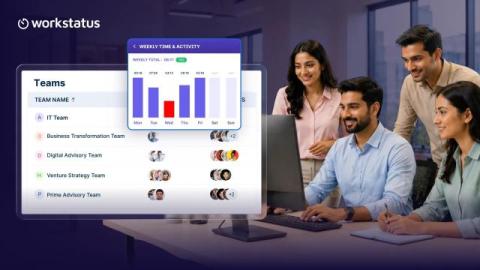
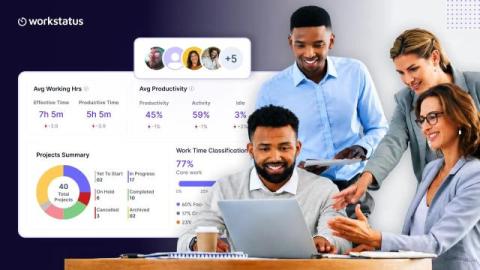
Being busy doesn’t mean your team is productive. The Punch Effect explains what happens inside organizations when clarity is missing. Teams default to meetings, messages, and low-impact tasks that feel important but don’t drive outcomes. The result: This is not a people problem. It’s a visibility problem. Workstatus helps organizations eliminate the Punch Effect by bringing structure, clarity, and real-time insight into how work actually moves.

Is WhatsApp HIPAA Compliant? Are There Alternatives For Secure Healthcare Communications?

At some point, almost every doctor has the same thought. You find a simple, fast, beautifully designed messaging app. It works everywhere. Your patients already use it. Your colleagues are there. It feels natural to just make it your go-to communication channel. That is usually how the question about WhatsApp compliance appears in the first place. Let’s be real – WhatsApp is wildly popular.

How to Integrate Multiple Help Desks Into One ITSM Solution

When you integrate multiple help desks into a single platform, you reduce silos, duplicated work, and scattered reporting across departments. If IT, HR, Facilities, and other teams operate in separate tools, employees don’t know where to go, managers lack a unified view of performance, and costs grow quietly in the background. InvGate Service Management allows you to centralize operations while keeping each department’s workflows, permissions, and service catalog clearly defined.

Key Aspects of Media Processing in RCS

RCS messaging feels very easy when you use it. You send a photo. You send a video. You send a voice note. The other person sees it right away. It feels instant and smooth. But behind the scenes, a lot more is happening. Let me explain. Your file is being checked, prepared, stored, and then eventually delivered. This is called media processing in RCS workflows. It sounds big and complex, but the idea is actually very simple.

Top 7 User Activity Monitoring Tools for Enterprise

Loved our blogs? Find more wAnywhere perspectives on productivity and compliance Set as a preferred Google source Table of Contents The workplace of 2026 is very different than what we were used to. Hybrid teams, contractors from countries around the world, cloud-first operations, Bring Your Own Device policies, all these things have increased flexibility but have also created higher risk. Data leaks, insider threats, shadow IT, and compliance are all common occurrences.

"Your Tools Are Powerful. So Why Are Decisions Still Reactive?"

Your team uses Jira. They communicate on Slack. Sales tracks everything in Salesforce. So why do leadership decisions still feel reactive? If you’re using multiple tools but still struggling with visibility, this video explains why. In this video, you’ll learn: Workstatus doesn’t replace the tools your team already knows. It connects them, so you can see how work actually flows across projects and teams.

Productivity Leaks: Where Your Team's Time Really Goes

Hidden time leaks simply take a toll on your team’s productivity, lowering it and slowing down the pace. Even though modern workplaces are busy, efficiency doesn’t match expectations. So, where does your team’s time really go? Written by: Chandrika Rathore.

Slack School | Managing Permissions in Slack

In this episode, we’re looking at permissions: the subtle art of setting up roles so your team can focus on their work without the distraction of extra buttons or complex settings. We’ll show you how permissions work alongside user roles to control access, what they look like in a free workspace, and how they evolve as your Slack plan changes. Class dismissed!