What workflow management software does, the categories buyers confuse, and the questions separating a tool that runs work from one that shows how it ran.
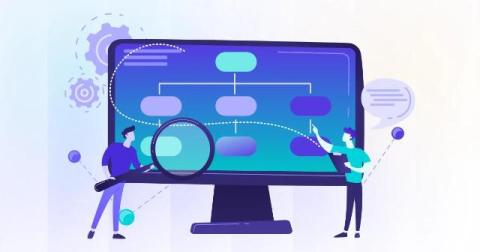
How to map a business process, the techniques that work, and why most process maps describe the workflow people should follow rather than the real one.
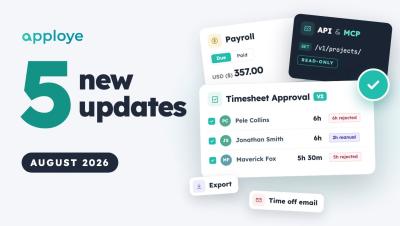
Here are the key features we shipped in August for Apploye! In this update, we’re introducing a completely rebuilt Timesheet Approval workflow with smart signals, a streamlined Payroll redesign, our new Public API & MCP Server for AI workflows, expanded report export customization, and email notifications for time off. Timestamps: Introduction Timesheet Approval Redesign & Smart Signals Redesigned Payroll Ledger & Summary Public API & MCP Server Integration Customized Report Export Options Time Off Email Notifications.
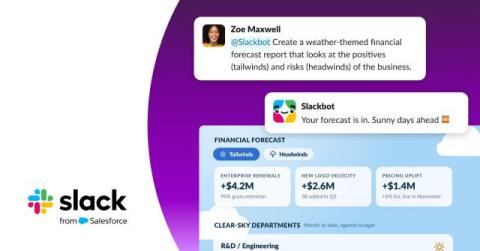
Advanced users see the best outcomes from AI, because they know how to prompt, iterate and stitch results together. Everyone else opens the tool and gets something mediocre, then moves on. The tools simply weren’t built with everyone in mind. That’s the challenge Slackforce helps solve: Slack and Salesforce working as one, so you don’t need to be a computer expert to get a real result. Slackforce Surfaces makes it easy for anyone to build.
As AI accelerates work, leaders need to be more deliberate about what technology takes off people’s minds and where human attention can create the most value. AI promises to help organisations move faster. But at two Asana executive dinners held in Sydney and Melbourne in August, a different leadership question emerged: what should we choose not to accelerate? The challenge is not finding more hours in the day, but creating better conditions for the hours people already spend.
Think about everything a smartphone quietly replaced. The camera you used to pack for trips. The alarm clock on your bedside table. The paper map folded somewhere in the car. A music player, a calculator, a GPS unit, and a drawer full of chargers with no obvious owner. None of those things became useless. We just stopped needing each one separately when one device could handle most of the same jobs.
Nobody puts “coordination” on a job title, and yet almost everyone ends up doing it. Work coordination is the virtuous orchestration of internal and external processes – the constant, low-level hum of making sure the right task reaches the right person at the right time, that a decision made in one channel doesn’t get lost before it reaches the people who need to act on it, that a client-facing deadline and an internal review cycle actually meet in the middle instead of colliding.
Managing a remote team is easy when everyone is sitting in the same office. You can walk around, check in with people, and get a general sense of how work is moving. But remote work is different. Someone can be online all day without getting much meaningful work done. At the same time, someone else might spend hours in meetings, research, design software, or other work that doesn't necessarily produce a lot of keyboard or mouse activity.
What happens when your entire team suddenly goes remote? In this video, we break down how managers can maintain visibility when work moves outside the office - without resorting to micromanagement. You’ll see how to:→ Spot work that’s getting stuck→ Identify uneven workloads before they become a problem→ Understand whether work is actually progressing→ Maintain visibility across a distributed team→ Stay in control without turning remote work into surveillance.
What does project success look like beyond the metrics? And what really makes a great project manager? In the first episode of "20 Lessons in Project" Management, Praval Singh, Vice President of Marketing & Customer Experience at Zoho, shares his thoughts.