
Teams | Collaboration | Customer Service | Project Management

How to Discard Idle Time Automatically in Apploye

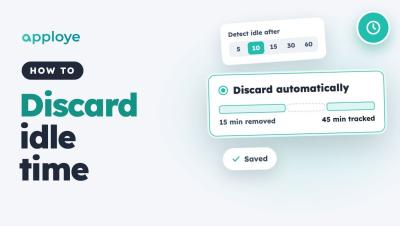
Learn how to discard idle time automatically in Apploye, so idle minutes come off tracked time without anyone having to review them. Go to Settings → Activity → Idle time, choose when time counts as idle, and pick Discard automatically. You can also give individual members their own idle settings.
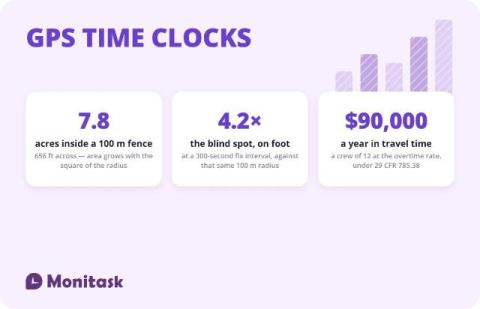
GPS Time Clock for Employees: Accuracy, Geofencing, and the Law

A GPS time clock records a location alongside each clock-in and clock-out, so a timesheet carries where the work started as well as when. It answers the attendance question for field crews that a desk time clock cannot. It does not provide continuous proof of presence: the accuracy figures in circulation measure the satellite signal rather than a phone, and a geofence confirms position at the moment of a fix rather than detecting the moment someone leaves. > This is not legal advice.

Claude + Miro: Automatically Visualize Changes in Your Repo

Want to keep your system architecture diagrams up to date without manually documenting every code change? In this tutorial, we'll show you how to use Claude scheduled tasks and Miro to automatically visualize changes to your GitHub repository. Learn how to set up a scheduled task that checks your repository for new pull requests, generates updated system architecture diagrams, and visualizes exactly what's been added or removed. You'll also see how Miro makes it easy to compare architecture snapshots, track changes with timestamps, and review proposed updates with your team.

DCAA Timekeeping Requirements: What the Regulations Actually Say

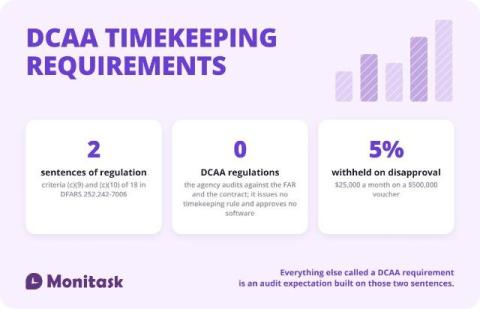
The Defense Contract Audit Agency issues no timekeeping regulation. The requirements come from the contract: DFARS 252.242-7006(c)(9) and (c)(10) require a timekeeping system that identifies labor by cost objective and a labor distribution system that charges direct and indirect labor correctly. Everything else called a “DCAA requirement” is audit practice derived from those two criteria and from the FAR cost principles.

Employee Monitoring Policy Template

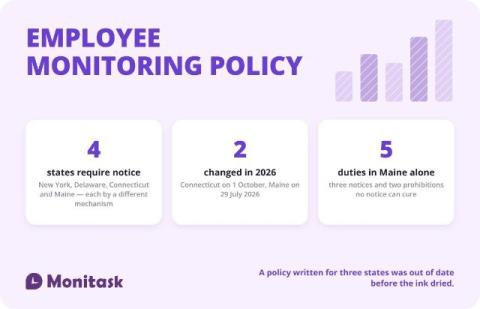
An employee monitoring policy is a written document that tells employees what the employer monitors, why, where, how long the data is kept and who can see it. Four states — New York, Delaware, Connecticut and Maine — require notice before monitoring begins, each by a different mechanism, and two of those four laws changed during 2026. The template below is free to copy in three formats, and the sections marked with brackets are the ones you replace.

Connect Discovery to Delivery with Miro + AI

Your customer insights, product requirements, and design decisions live across different tools. How do you bring them together to decide what to build and give engineering the context to move forward? In this demo, follow a mobile banking app refresh from product discovery to an interactive prototype and engineering handoff with Miro, Claude, and Cursor.

Support to Engineering Handoff: How to Stop 'Black Hole' Requests

A “black hole” request is a ticket that gets escalated to engineering and then disappears. The agent can’t see progress, the developer can’t see the customer, and nobody tells the requester when it’s fixed. It usually happens because support and engineering live in two tools joined by copy-paste.

Idle Time Threshold in Flowace: Set It for New Users and Employees

Learn how to set the idle time threshold in Flowace, the number of minutes without keyboard or mouse activity before time is marked idle. You can set a default for new users in Default Settings, and change the value for one employee in Permissions, Desktop App. Once the threshold is reached, the whole inactive period is marked idle. Shorter pauses stay active. In this video: Chapters: Example setup used in this video.