Teams | Collaboration | Customer Service | Project Management

October 2021 Version Update: Even Better Work Management | Scoro

Carefully mapping out project-related work, and later, managing, adjusting, and reorganizing it when needed, plays a significant role in delivering a great service, on time. This is exactly the reason we keep making improvements to our work and time management features, starring in a supporting role in our users’ success. Here’s what we’ve done.

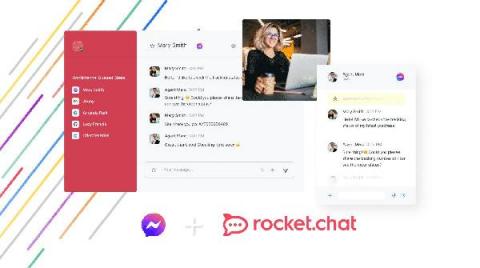
Get closer to customers with the new Facebook Messenger App 2.0

We’re excited to announce the launch of Rocket.Chat’s new Facebook Messenger App, built to improve customer service efficiency on the go-to messaging app for over 1.3 billion worldwide users. The 2.0 version of the app is a more robust integration with new features that the 1.0 version didn’t offer, such as message automation and customization. This will enable Rocket.Chat users to streamline their customer service efforts while building an exceptional customer experience.

It's Here! Monitor Microsoft Teams Audio Video Conferencing

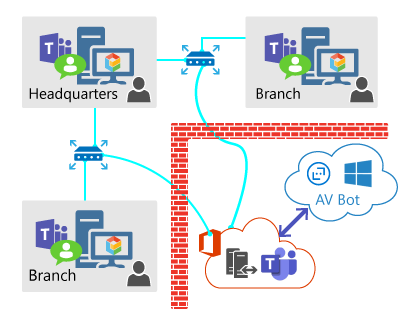
Exoprise released its long awaited Teams Audio Video Conferencing sensor. This sensor fully tests Audio/Video end-to-end capacity, throughput, and network performance through the actual underlying Microsoft Teams and Azure infrastructure. The Teams AV sensor provides deep insight into a network’s capability to handle the Teams/Skype Unified Communications (UC) platform.

Vision Helpdesk V5.6.2 Stable Version Released

Steps for the upgrade to V5.6.2 from V5.x.x for Download License (On-Premises License) customers. Step 2) From Services >> My Services — You can download a new setup for Vision Helpdesk V5.6.2 (We support PHP7.1 and above PHP version for V5 version) Step 3) Take a backup of your existing files and database on your server. example if you had installed on support folder you can rename support to support_bk and create new support folder.

Introducing new and improved calling buttons

At Wire, we constantly strive to provide the most advanced security and superior user experience. We understand how important it is to be efficient and productive, and how an intuitive design contributes to that. We are happy to introduce significant improvements to the buttons you see in Wire calls — making it easier for you to toggle mute, video and screen sharing during calls. In this article, you’ll read all about what changed and why we made these decisions.