Teams | Collaboration | Customer Service | Project Management

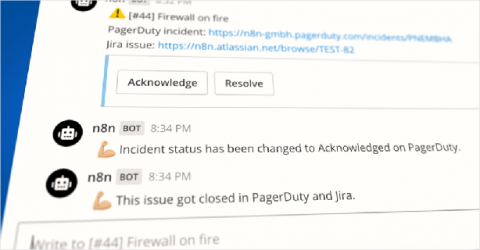
Creating powerful automations with n8n and Mattermost

Tanay is the Head of Developer Relations at n8n. He has published books on WebVR, virtual assistants on Raspberry Pi, and FirefoxOS. He has been listed in the about:credits of the Firefox web browser for his contributions to the different open source projects of the Mozilla Foundation. I’ve been involved in the DevOps world for a while and yet I finished reading The Phoenix Project only recently. The book piqued my interest in how teams execute their incident response playbooks.
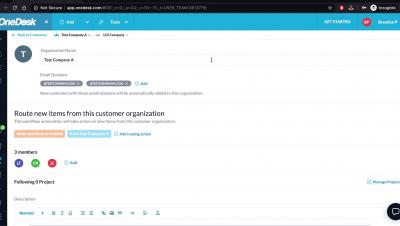
OneDesk - Setting up Multiple Domains for Customer Organizations

Learn how you can add multiple domains for customer organizations in OneDesk so that customer record is automatically added to the specific organization. OneDesk combines Help Desk & Project Management software into a single application. OneDesk also includes customer-facing applications: real-time chat, customizable webforms, and a customer portal. These integrated applications allow you to serve your customers while conveniently working on your projects in one platform.

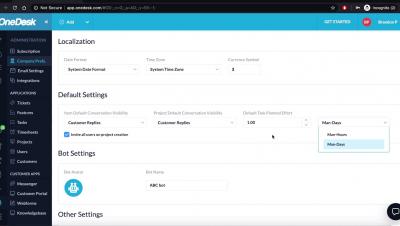
OneDesk - How to Make Adjustments to your Company Preferences

Learn how you can add your company name, logo, working hours and more through OneDesk Company Preferences. OneDesk combines Help Desk & Project Management software into a single application. OneDesk also includes customer-facing applications: real-time chat, customizable webforms, and a customer portal. These integrated applications allow you to serve your customers while conveniently working on your projects in one platform.

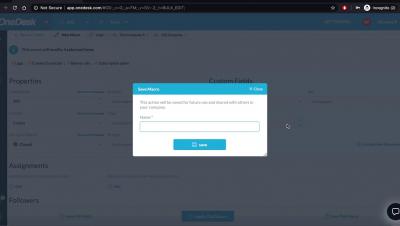
OneDesk - How to Make Changes to Bulk Items

Learn how to make modifications to multiple items in OneDesk OneDesk combines Help Desk & Project Management software into a single application. OneDesk also includes customer-facing applications: real-time chat, customizable webforms, and a customer portal. These integrated applications allow you to serve your customers while conveniently working on your projects in one platform.

How To Use Skype For Business: A Step-by-Step Guide (2020)

Want to learn how to use Skype for Business? The current global pandemic has forced many businesses to go remote — but that comes with tons of communication challenges! Luckily, Microsoft’s Skype for Business is a popular video conferencing tool that can help you overcome that. But if you don’t know how to use it properly, your communication issues are only going to get worse. Don’t worry! This article is a step-by-step guide on how to use Skype for Business the right way.

Asana tips: How to structure your work in Asana

Whether you’re new to Asana or a power user, knowing how to structure your work in Asana is the first step toward connecting individual work to larger initiatives or goals. In fact, according to the Anatomy of Work Index, employees who have clarity on how their individual work adds value to their organization are 2x more likely to be motivated at work.

1-Stop Connections keeps ports functioning by embracing the customer experience

At any moment, there are more than 20 million containers at sea, transporting everything from raw materials like oil, steel, and wood, to consumer products like TVs, toys, and textiles. That makes operating ports complicated business, which is why companies like 1-Stop Connections, which provides SaaS solutions to keep those ports working efficiently, are so vital.

What's a BPO call center, what does it do?

Not every company has the staff, tools, and skills required to meet their customers’ expectations of call center service. For example, 51% of consumers expect a response in under five minutes when they call a company, according to The Zendesk Customer Experience Trends Report 2020. But for a small eCommerce team, meeting this expectation may not always be possible. That’s where a BPO call center comes in.