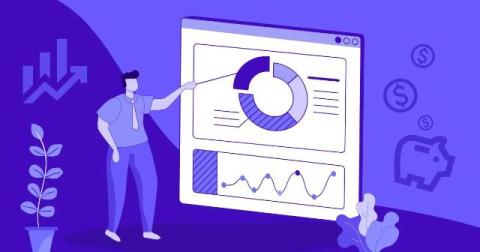
Explore the 10 best productivity monitoring software tools for distributed teams in 2026. Compare features, pricing, and more to make the right decision.
TLDR: Key updates: Rovo Search now provides AI-generated answers with citations, routes intent-aware queries in Jira, searches across 50+ connected tools, delivers richer visual results, and is embedded directly in Atlassian workflows. This blog summarizes improvements that have shipped over the past year to Rovo Search. Rovo Search keeps getting better over time! It is now approximately 60% faster than six months ago!
Your traditional intranet used to be enough. Now employees expect to find answers in seconds from your system, one that was built to improve the overall employee experience. But for IT professionals, every weekend spent patching servers is a weekend not spent meeting that bar. The mobile access requests keep coming. The hardware refresh keeps looming. Something has to give.
Business continuity planning has traditionally centered on IT failover, data backups, and facility recovery. Frameworks such as ISO 22301 give security and risk leaders a solid foundation for identifying critical functions and building recovery strategies around them. What many plans still don't account for is the communication layer itself, which focuses on the messaging and calling infrastructure that a response team depends on in the moment something goes wrong.
Your transformation strategy is only as strong as its alignment with team execution and financial investment. Now you can see portfolio health in real time, intervene before initiatives drift, and tie every request and dollar to the priorities that matter. The latest Strategy Collection innovations bring financial investment, delivery risk, and cross-team demand into one view. The best part? Every capability covered has shipped since our previous Innovation Spotlight.
Human resource management software (HRMS) is a digital platform that automates and streamlines core HR functions including payroll, attendance, leave tracking, onboarding, and performance management helping businesses reduce manual work, improve accuracy, and manage their workforce more efficiently.
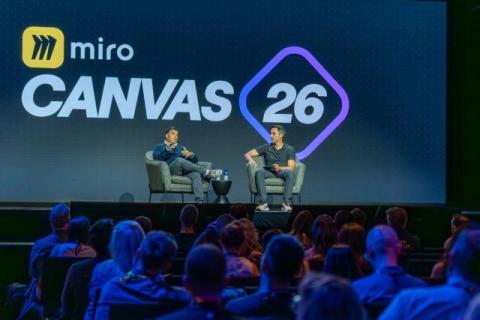
At Canvas 26 in San Francisco. Ravi Mehta — product strategy advisor, longtime product leader, and teacher of Reforge’s AI strategy and AI prototyping courses — laid out a bold vision for product teams: unlearn the MVP, trade the assembly line for a jazz band, and expect the playbook to reset every six months.
No organization is immune to cybersecurity incidents. Whether it's ransomware, phishing, or unauthorized access, the speed and effectiveness of your response often determine how much damage an attack can cause. That’s why every company needs a well-defined incident response plan that gives security teams a structured process for detecting, containing, and recovering from security threats.