
Teams | Collaboration | Customer Service | Project Management

DCAA Timekeeping Requirements: What the Regulations Actually Say

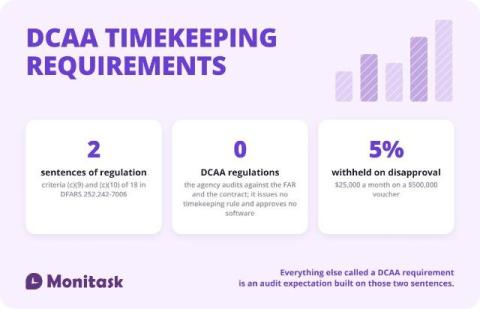
The Defense Contract Audit Agency issues no timekeeping regulation. The requirements come from the contract: DFARS 252.242-7006(c)(9) and (c)(10) require a timekeeping system that identifies labor by cost objective and a labor distribution system that charges direct and indirect labor correctly. Everything else called a “DCAA requirement” is audit practice derived from those two criteria and from the FAR cost principles.

Employee Monitoring Policy Template

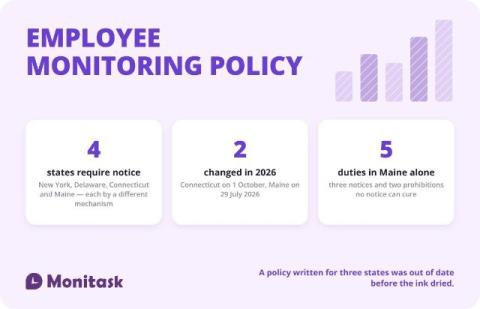
An employee monitoring policy is a written document that tells employees what the employer monitors, why, where, how long the data is kept and who can see it. Four states — New York, Delaware, Connecticut and Maine — require notice before monitoring begins, each by a different mechanism, and two of those four laws changed during 2026. The template below is free to copy in three formats, and the sections marked with brackets are the ones you replace.

Connect Discovery to Delivery with Miro + AI

Your customer insights, product requirements, and design decisions live across different tools. How do you bring them together to decide what to build and give engineering the context to move forward? In this demo, follow a mobile banking app refresh from product discovery to an interactive prototype and engineering handoff with Miro, Claude, and Cursor.

Support to Engineering Handoff: How to Stop 'Black Hole' Requests

A “black hole” request is a ticket that gets escalated to engineering and then disappears. The agent can’t see progress, the developer can’t see the customer, and nobody tells the requester when it’s fixed. It usually happens because support and engineering live in two tools joined by copy-paste.

Idle Time Threshold in Flowace: Set It for New Users and Employees

Learn how to set the idle time threshold in Flowace, the number of minutes without keyboard or mouse activity before time is marked idle. You can set a default for new users in Default Settings, and change the value for one employee in Permissions, Desktop App. Once the threshold is reached, the whole inactive period is marked idle. Shorter pauses stay active. In this video: Chapters: Example setup used in this video.

Idle Time Threshold in Flowace: Set It for New Users and Employees

Learn how to set the idle time threshold in Flowace, the number of minutes without keyboard or mouse activity before time is marked idle. You can set a default for new users in Default Settings, and change the value for one employee in Permissions, Desktop App. Once the threshold is reached, the whole inactive period is marked idle. Shorter pauses stay active. In this video: Chapters: Example setup used in this video.

How to Turn On Ignore Idle for Apps and Websites | Flowace

Learn how to turn on Ignore Idle in Flowace so time in calls, meetings and training is not marked as idle. Flowace marks time as idle when there is no keyboard or mouse activity for the time your admin sets. But sometimes you are still working, for example listening in a call or watching a training. Turn on Ignore Idle to keep tracking time even when you aren't moving your mouse or typing. In this video.

Agency Time Tracking: What to Track and What It Tells You

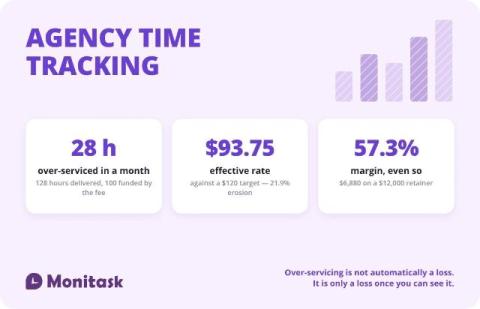
Agency time tracking exists to answer one question: did the fee cover the work. A $12,000 monthly retainer at a $120 target rate funds 100 hours. Deliver 128 and the effective rate drops to $93.75, with 28 hours of over-servicing worth $3,360. Hours by client, by role and by activity are what turn a retainer into a margin number.