Teams | Collaboration | Customer Service | Project Management

The latest News and Information on Project Management, Methodologies, Productivity and Tools.

Project Handover Checklist: How to Transfer Projects Without Losing Context

Every workplace has a story like this: a freelancer disappears mid-contract, an employee quits without much notice, or someone just goes on leave for two weeks, and by the time they’re back, nobody remembers what half the files mean. Projects rarely fail because of bad ideas or sloppy execution. They fail because the knowledge was sitting in one person’s head, and that person walked out the door with it.

Simplified time logging is here: fewer fields, more accurate time entries

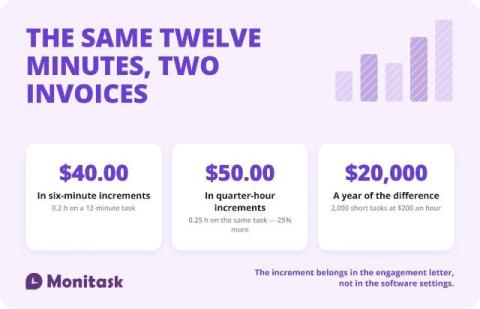
You can now choose a simpler time logging interface for your team, so people log more time and log it more accurately. Admins decide which fields their team fills in and which get calculated automatically. Less friction on the timesheet means better data feeding your budgets, margins and forecasts. Anyone who's chased a team for missing time entries knows the real problem. It's rarely that people don't want to log their hours.

What's new in Teamwork.com | Summer 2026

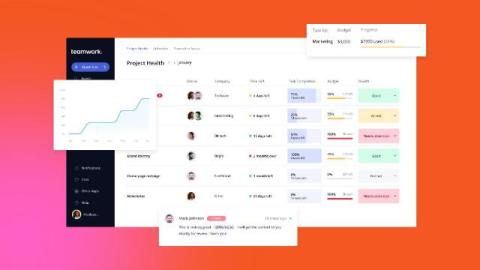
Summer delivered. A completely refreshed Task Details, a rebuilt Budgets page, formula-driven Custom Items, a customizable Home dashboards page and deeper financial reporting all shipped this season, alongside a long run of automation, integration and quality-of-life upgrades. Read on for what landed. And one thing you can try early.

New reporting columns give you a clearer view of project profitability

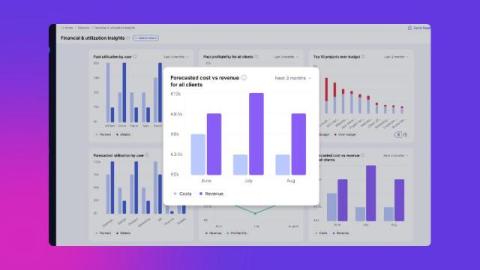
We've added a batch of new columns to custom reports and the profitability report, so you can see revenue, cost targets and effective rates without exporting data or building formulas yourself. If you run delivery or finance for a services team, these are the numbers you check most, now sitting right where you report. This is part of our ongoing work on financial reporting. Less digging, more answers you can trust.

Nifty: AI Workflow Builder

Describe the work you manage and Nifty builds the project around it: the statuses, the lists, and custom fields already set to the right type. In this video we build a real project from a single sentence, walk through the preview, and change everything before creating it. What's covered Why it is useful Setting up a project usually means renaming columns, adding lists, creating the fields you need, then remembering the one you forgot. This does that part for you, and nothing is committed until you press Create Project. Everything stays editable afterwards.

Customize your work experience with Home Dashboards

As part of our recent UI updates, we’ve taken the opportunity to make your entry point into Teamwork.com even more customizable. Meet Home Dashboards, your new personalized place to start every time you log into the platform. You’ve probably noticed that My Work now has its own dedicated spot in the side navigation, so it’s always a click away and separate from the Home area.

When everyone has an agent, alignment becomes the bottleneck

Something changed over the last year that most teams have not fully adjusted to yet. A year ago, one person on the team was often “the one using AI.” Today, almost everyone is. Designers have assistants. Engineers use Claude, Cursor, or both. Product teams run research through ChatGPT or Gemini. Marketing teams use AI to draft campaigns, and support teams use it to summarize issues and prepare responses. Individually, people are producing more than they were a year ago.