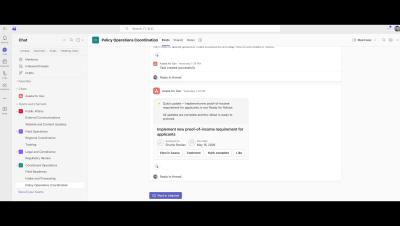
We’re bringing a ton of great, new features right to where all your conversations (and magic) happen every day. Relive to see how we’re making work simpler, smarter, and a whole lot more fun.
In this closing keynote from the Work Innovation Summit New York 2025, Microsoft’s Andrew Lindsay joins Asana to explore how AI is reshaping work, what separates fast-moving organizations from the rest, and why clarity of vision is becoming a decisive competitive advantage. He shares real-world insights on AI adoption across industries, how leaders can balance innovation with trust and security, and why taking bold, informed risks is essential in a rapidly shifting landscape.
Learn how Asana admins can manage app integrations to keep teams secure, connected, and productive. This video walks through key admin settings—like controlling guest access, reviewing app approval requests, understanding permission scopes, and blocking apps that don’t meet your security needs. You’ll see how to use the Admin Console to monitor usage, maintain compliance, and ensure your tech stack works seamlessly with Asana.
A quick look at the ideas and conversations that shaped our first Geckoboard Breakfast event in London. In this highlights reel you’ll hear customers and partners talk about fast growing data sets, how AI is reshaping support, and why real time visibility still matters for every team. You’ll also see how Geckoboard customers use dashboards day to day including weekly customer facing reports and team wide SLA visibility.
AI is changing support faster than most teams can keep up. In this talk from our Geckoboard Breakfast event, Eric Nelson, CEO and co founder of Stylo, shares what their eighteen-month study reveals about how KPIs are shifting as AI becomes part of day to day operations. Eric covers what happens to CSAT when new models drop, why voice is rising again, and how customers are adapting their expectations. He also breaks down the practical changes teams can make right now from rebuilding knowledge bases for AI context, to tightening KPI cycles from annual plans to 60 or 90 day reviews.
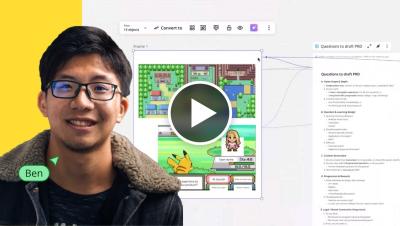
PlantUML lets you skip the drag-and-drop and create diagrams directly from code. In this video, I'll show you how to set up the PlantUML integration in Miro, write a quick microservices authentication flow, and add the diagram to your board so your team can collaborate on it. No more switching between documentation tools and your collaboration platform, everything lives in one place. Subscribe for more Miro tutorials and tips!
Want to efficiently monitor remote teams? In this tutorial, we’ll guide you through the Remote Track Panel in Apploye, helping you track employee activities, time logs, and productivity in real-time. Learn how to maximize remote work efficiency with this powerful feature! What You’ll Learn: How to access and navigate the Remote Track Panel Viewing employee activity and work progress Managing time logs and productivity tracking Best practices for remote team monitoring.
Stay updated with real-time employee activity using the Live Feed feature in Apploye! In this tutorial, we’ll show you how to access and utilize the Live Feed to monitor your team's progress, track time, and stay on top of work activities instantly. What You’ll Learn: How to access and use the Live Feed feature Tracking team activity in real-time Viewing work status and time logs instantly Best practices for efficient team monitoring.
In this video, discover how to use Apploye’s Payroll feature to calculate payments automatically based on tracked hours, rates, and billing rules. We show you how to set pay rates, approve timesheets, generate payroll summaries, and ensure accurate payments for your team.
Learn how to use the Apploye Desktop App to track time, monitor productivity, and manage everything. In this quick tutorial, we’ll walk you through how to start the timer, switch tasks, capture screenshots, and discuss best practices & settings options.