Teams | Collaboration | Customer Service | Project Management

Asana vs Trello vs Nifty: which one to choose in 2022

Asana, Trello, and Nifty are all project management tools built to facilitate workflow management and increase productivity by organizing and prioritizing tasks in a project. However, that is the most basic feature of these three tools that is actually necessary for every project management tool to offer. In this post, we would make a comparison between Asana Vs Trello Vs Nifty so that you would know which one suits your project management needs regarding your budget.


How to manage scope creep with better project management

Scope creep: It’s an ever-present threat for project teams, a bogeyman lurking behind every decision, threatening to delay or even derail your current project. For project managers, scope creep is especially frustrating. It almost always seems to be due to someone else’s decision — one that’s outside of your control or that you don’t even know about until it’s too late. Yet it’s you, the project manager, that usually gets blamed for any project delays.

Why project managers need to embrace the 'joy of being wrong' for successful decision-making

Successful project managers bring to the table stellar technical expertise and team-handling competence. These attributes together with other beneficial behaviors help them in strategic decision-making whenever needed. A frequently-overlooked aspect for this kind of decision is its authenticity. A decision derives its authenticity from the decision-makers' awareness of their own limitations and willingness to admit to them.

32 Best Agency Tools To Grow Business in 2022

Looking to use the best agency tools to increase productivity and save time in your agency? Regardless of the size and niche of your agency, agency tools can significantly facilitate doing your daily tasks and stay in better alignment with your team members. Here in this post, we will discover the top 30 best agency tools and see why your agency needs them.

13 Slack project management integrations that optimize agency productivity

At its simplest, Slack is a channel-based chat tool that many agencies and client services teams use to discuss issues in real-time. Instead of relying on buried email threads, phone calls, or carrier pigeons, Slack has become a popular tool for one-to-one business messaging, private group chat, voice and video calls, and inter-business collaboration via Slack Connect.

10 tough project management challenges for client services teams (and helpful solutions)

You don’t have to be a project manager to experience the challenges that come with handling projects from start to finish. Owners and agency leaders, like you, run into project management challenges on a regular. And it doesn’t matter if you’re large enough to have in-house project managers or handle those functions yourself. Things happen – projects run off course, over budget, or exhaust your most valuable resources.

5 Time Management Techniques to Boost Productivity | Scoro

Despite the surprising amount of lost time during working hours, and the simple methods which can save it (just 10 minutes of planning your day can save 2 hours of wasted time), around four fifths of employees still don’t use any form of time management system. Time is a precious resource in modern business, but there is a plethora of time management techniques out there, so choosing which one to use can be overwhelming.

How to Make a Burndown Chart in Excel

Looking to create a burndown chart in Excel? In this article, we will walk you through the concept of a burndown chart, the types of burndown charts, and how to make a burndown chart in Excel. Burndown chart is used by agile project managers to track their projects. This makes it easy to determine, whether things are going according to plan and if you’ll be able to meet your deadline and reach your objective.

Manage & Customize Views in OneDesk

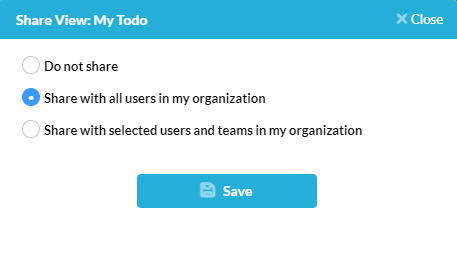
Views in OneDesk allow you to group and organize your data based on your specified criteria and within a variety of layouts and better overall plan and prioritize your work. For example, see a hierarchical view of unassigned tickets, assign tasks to users on a Kanban board, group projects by customer and much more. OneDesk’s robust customization options allow for a huge variety of possibilities to fit your company’s needs. Keep reading to learn more about managing views in OneDesk.