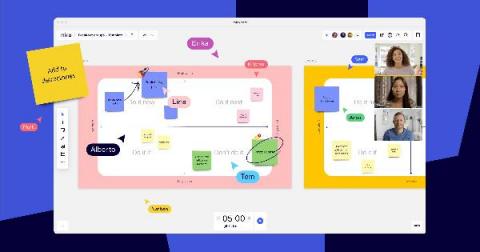

If you’ve participated in a workshop, conference, or brainstorm, then you’ve probably experienced a breakout session. That’s when the meeting facilitator divides up participants into smaller groups to privately discuss a topic. When done correctly, breakout sessions are an excellent opportunity to have candid conversations and connect with other participants on a more intimate level than a broader meeting allows.
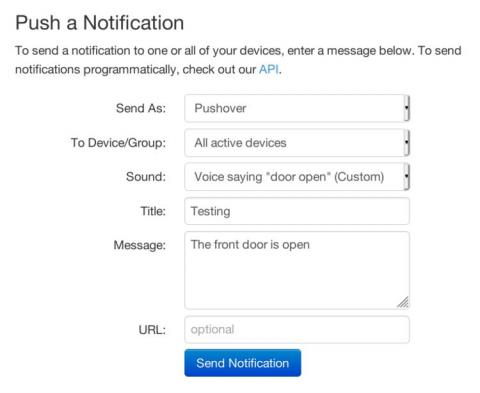
Today I'm happy to announce the release of Pushover 3.7 for Android, iPhone/iPad, and Desktop with custom sound support! While Pushover has long included 21 different sounds that can be selected per-message through our API, a common feature request was the ability to play custom notification sounds stored on a user's device.
Interested in call centers operations? Efficient call center services are vital for building a loyal and satisfied customer base. This is important because happy customers lead to an enhanced company image and brand loyalty. However, call center operations are complex and time-sensitive. It requires strategic planning to keep your contact center running smoothly and profitably. In this article, we explain what call centers are.
Want to know about call center screen monitoring? Call centers play an essential role in customer service. They not only help you manage customer call volume but simplify various business processes. However, with customer demands constantly changing, it’s important to be prepared. And including screen monitoring into your call center workflows help you do just that. In this article, we’ll cover what is call center screen monitoring and the benefits they provide.
When it comes to starting a business, many entrepreneurs are drawn to the freedom of earning money on their terms. That doesn’t mean it doesn’t come without its challenges. One of the most common struggles we face is finding an adequate work-life balance. Anyone who is an entrepreneur knows and understands the many hats you have to wear and the tasks you have to juggle each day, especially when you’re starting out.
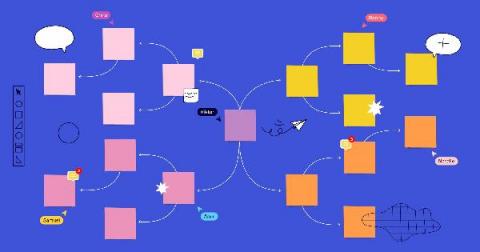
A concept map is a diagram that shows relationships between different ideas, and it’s a useful tool for organizing your thoughts and understanding the nitty-gritty of a specific topic. Sounds helpful, doesn’t it? That brings you to this question: how do you make one? These maps are flexible and can be as simple or as complex as you need them to be. Below, let’s dig into everything you need to know about how to make a concept map.
In the search for the superior application for your digital workspace, it can be daunting and time consuming to try out all that are currently available on the market. Some are better known than others such as Google Drive or Dropbox. Mainly due to the brand name, these applications rose quickly in popularity. As other applications rush to fill the gaps left by these multi-billion dollar corporations, it’s our duty as the consumers to determine the best one for our online work.
We live in hectic times. While it seemed that technology will make our life easier and allow us to have more time for ourselves, the reality is completely different. Through all the technological advancements that we made in the last 20 years, we are now as busy as ever. But at the same time, only 60% of the work time is spent on actual work. With all the distractions, emails, calls, and notifications we can not be surprised.
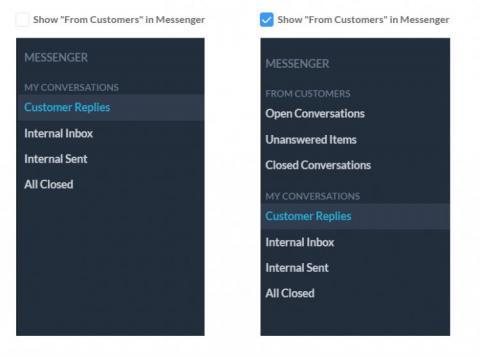
OneDesk has built a sophisticated messaging system that ensures you never have to worry about where the recipient of your message is. Thanks to this powerful messaging system, you don’t need to be concerned if your recipient is using live chat, email, or the customer portal to message you. OneDesk funnels the messages to the appropriate channel and will ensure your recipient gets the messages intended for them in whatever channel they are using.