Teams | Collaboration | Customer Service | Project Management

Best Time Tracking Software for Architects and Engineers in 2026

Ever given a thought to this, that your team is working all day, but still you don’t know where the time goes? This is a very common challenge faced by architecture and engineering firms. Work happens across designs, meetings, site visits, and revisions In fact, only 58.5% of projects in architecture and engineering firms are completed on or ahead of schedule, highlighting clear gaps in planning and time tracking. But tracking for all of these is not easy.

Endpoint Monitoring Software: What IT Teams Need Beyond Antivirus

Traditional antivirus software is no longer enough to stop modern cyberattacks. Today’s attackers move fast, live off the land, and leave signatures that traditional AV simply won’t catch. What makes this gap more dangerous is that most modern attacks are designed to look legitimate. Instead of dropping obvious malware, attackers use trusted system tools, valid credentials, and normal user behavior to move laterally across endpoints.

HIPAA-Compliant Workforce Monitoring for RCM Teams: How to Improve Visibility Without Exposing PHI

Most workforce monitoring conversations start with productivity. In RCM, they should start with compliance. Your teams process claims, payments, coding workflows, and patient-linked financial data all day long. So while leaders do need visibility into throughput, workload, and process bottlenecks, they also need to avoid exposing PHI through careless monitoring practices. That is the balancing act: more visibility without more risk.

How to Build a Call Center Workforce Management System

Call center WFM is the practice of managing your call center workforce with a proven framework or system. It combines forecasting, scheduling, real-time call center monitoring, and performance reporting into one operational framework. Whether you run a customer service center or virtual call center, this guide helps you to build a WFM system that actually works – step by step.

10 Signs You're Being Monitored at Work (Most Employees Miss These)

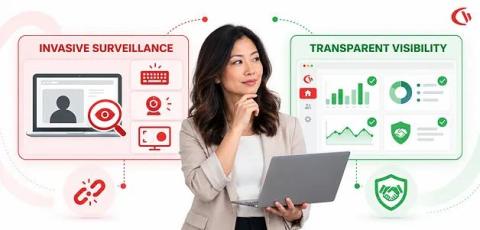
Most people don’t think twice about what’s happening behind their screens at work. You log in, open your tools, reply to messages, and move through your day, assuming it’s business as usual. But in many modern workplaces, there’s more happening in the background than employees realize. Employee monitoring has quietly become a standard practice across industries. Companies use it to track productivity, protect sensitive data, and understand how work gets done.

5 Reasons Every Growing Business Needs Employee Monitoring in 2026

If you are running a growing team and still relying on trust alone to know whether work is getting done, you are leaving money, time, and sanity on the table. Employee monitoring is not about micromanagement. It is about having the data you need to make smart decisions as your team scales. In this video, we cover five concrete reasons why growing businesses in 2026 are adopting monitoring software, and why waiting is costing you more than you think.

How Much Money Is Your Team Actually Wasting?

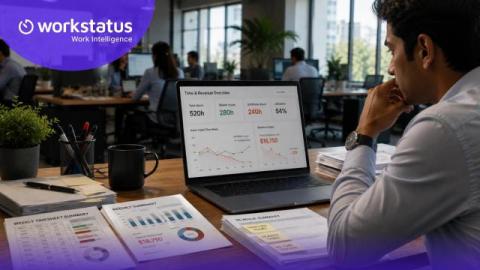
“What’s the ROI on productivity software?” Most SaaS companies give vague answers. We don’t, We translate productivity into money. For example: Your team wasted 127 hours last month on unproductive tools. That’s ₹3.2 lakhs lost. Fix that? You save ₹38 lakhs annually, Now productivity isn’t a vague metric. It’s financial, It’s measurable. And it’s something every CFO understands. That’s what WE360.ai does.

Low Employee Productivity? 7 Hidden Reasons Your Team Isn't Performing

Low productivity doesn’t usually show up overnight. It builds slowly. At first, it looks like small delays. Tasks take a little longer. Deadlines start slipping. Energy feels lower than usual. Then, before you know it, overall performance drops, and no one can quite pinpoint why. For businesses, this isn’t just a workflow issue. It’s expensive. Disengaged employees cost companies time, money, and momentum.