Teams | Collaboration | Customer Service | Project Management

M-Files Administrator: Permissions in Workflows | Intelligent Information Management

Each document has a lifecycle, during which it is processed and edited. During the lifecycle, the contributors may change and different persons may be responsible for different decisions. However, it is important that every person participating in the process is aware of their own areas of responsibility and the working stage. The M-Files workflows enable modeling document lifecycles according to real world processes. You can set permissions for the workflows, workflow states and workflow state transitions.

Boost Employee Engagement, Company Culture, & Productivity with Simpplr Video

Video is one of the most effective ways for communication but the experience of using a third-party video platform isn’t. Take the pain out of managing videos elsewhere with Simpplr. With Simpplr Video you can securely record, upload, store, and manage your videos.

Top 5 reasons you should join the new M-Files Community

The new M-Files Community launches on March 15, and you're invited to join us. Why should you join? As an M-Files customer or partner, you need access to expertise. Maybe that expertise comes from our internal team of technical experts. Maybe it comes from other customers who face the same challenges as you. Maybe it comes from your Customer Success Manager. Either way, by posting a question on the new M-Files Community, you can get the answers you need.

All the Ways M-Files Supports HR in the New Era of Working Remotely

The ongoing COVID-19 pandemic has created a challenge for us all — but few know this better than the dedicated HR employees who now have to figure out how to effectively do their jobs while working remotely. Thankfully, M-Files has proven itself to be more than invaluable to that end, offering a wide array of different benefits to human resources officials both during and after the pandemic has finally left us behind.

M Files Admin: Creating a Document Review and Approval Workflow | Intelligent Information Management

One of the most used and needed workflows throughout all organizations is the document review and approval workflow, where documents start out in a draft state and then they go through review and then final approval. It's really easy to create this workflow in M-Files and it saves staff loads of time since they don't have to hassle with the messy process of emailing attachments back and forth and creating multiple versions of the same document

Why 'Set It and Forget It' Information Governance Matters More Than You Realize

Anyone who has ever spent an appreciable about of time working with business information knows full well that the sheer volume of content within their deployment is growing by the day. But at the same time, the variety of content is also on the rise — which can easily lead to governance issues before you know it.

What You'll Find at the Crossroads of Digital Transformation and Compliance

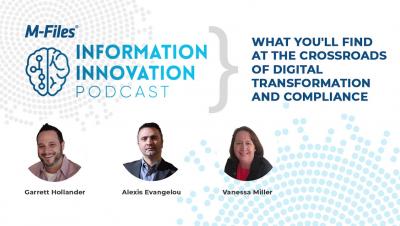
What do risk and compliance functions risk by deferring digital transformation? How can risk and compliance functions jumpstart an organization's digital transformation? Why does intelligent information management underpin the compliance function AND digital transformation at the same time? These and more questions answered in this podcast featuring special guests Alexis Evangelou from Iron Mountain Cyprus and Vanessa Miller of VM Consulting.

The 4 Types of Collaboration Habits That Make Information Security Breaches an Inevitability

Because of the ongoing COVID-19 pandemic, more people are working remotely than ever before. On the one hand, productivity hasn't really suffered as there are a large number of cloud-based tools that make it possible to be just as productive outside of the office as you are in it. But on the other hand, there are also certain types of collaboration habits that make security breaches no longer a matter of "if" but "when." Understanding what these are is the best way to avoid them at all costs.

M Files Admin: Sending Notifications via Workflow | Intelligent Information Management

Notifications are a great way of keeping people up to date of what is going on with the documents they put into a workflow. To send a notification, first define the recipient users and user groups. Then enter the notification subject and the message. You can also specify the user from metadata or state transitions.

Here's Where to Spend Your Money on Digital Transformation in a Post-COVID World

It's safe to say that the ongoing COVID-19 pandemic has been a challenge for all of us — especially for organizations that were in the process of undergoing their own digital transformations as the lock downs started in March 2020. The need to use technology to support a fast-paced and agile workplace was always paramount — but somehow, it's become even more so in an era where most of your employees are going to be working from home for the foreseeable future.