Teams | Collaboration | Customer Service | Project Management

Filling the Gaps in Office 365 and Microsoft Teams with Information Management

At this point, remote work isn’t just a common part of our lives. It’s essentially a ubiquitous one, thanks to the impact of the unexpected and ongoing COVID-19 pandemic. Even businesses that hadn’t embraced telecommuting in the past were forced to confront this tech-driven future sooner than expected, which has led them to turn to a wide variety of different solutions in an attempt to meet their needs.

Microsoft Teams Information Governance Success: 4 Critical Keys

It’s no secret that winning organizations often find new and innovative ways to not only manage the information they’re creating on a daily basis, but to track it as well. This is true both in terms of the tools you’re using like Microsoft Teams or Outlook, and where that information is saved (like with SharePoint, Salesforce or even network folders). How can users take advantage of the communication and collaboration and still find Microsoft Teams information governance success?

Updated SharePoint, OneDrive Monitoring

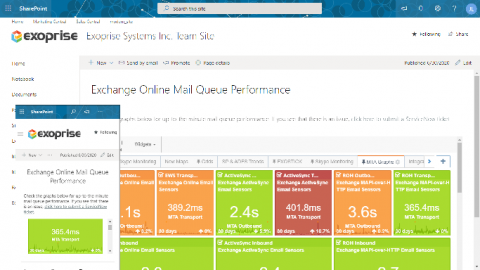
Exoprise recently updated the CloudReady SharePoint sensor for monitoring SharePoint Online and SharePoint 2019 Server. At the same time we separated the CloudReady OneDrive sensor to better segregate the crowd. This was a feature request that customers had been asking for. For both sensors, we upgraded the browser, improved the bandwidth (throughput) tests and a number of other enhancements. Read on for more information about new features and enhancements.

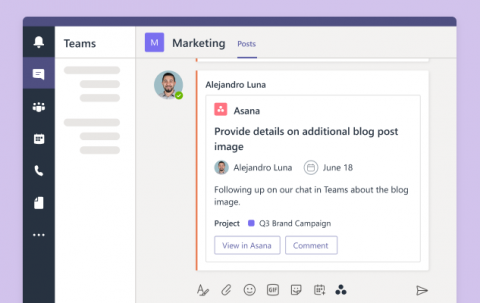
Introducing the new Asana for Microsoft Teams

The way the world works is evolving and Asana, through its integration with Microsoft Teams, gives teams the tools they need to securely collaborate, communicate, and coordinate their work, from anywhere. That’s why we’re excited to deepen our collaboration with Microsoft, and announce the launch of our new and improved Asana for Microsoft Teams integration.

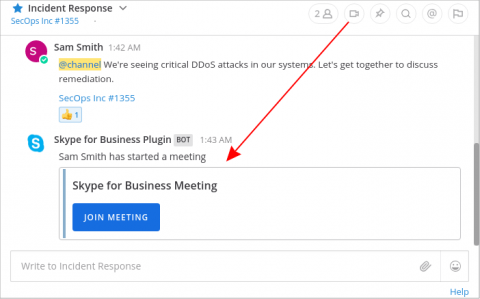
How to integrate Mattermost E20 with Office 365

Many Mattermost DevOps teams work in “Microsoft Shops”—organizations that use Office 365 apps with the Microsoft 365 business plan—and want to tightly integrate with Microsoft tools to more easily collaborate with the rest of the company. Mattermost E20 was architected from the ground up to be highly flexible. As such, integrating with other platforms including Microsoft is easy. Here’s how.

Sponsored Post

It's Here! Monitor Microsoft Teams Audio Video Conferencing

Exoprise released its long awaited Teams Audio Video Conferencing sensor. This sensor fully tests Audio/Video end-to-end capacity, throughput, and network performance through the actual underlying Microsoft Teams and Azure infrastructure. The Teams AV sensor provides deep insight into a network's capability to handle the Teams/Skype Unified Communications (UC) platform. Desktop, Collaboration and Network administrators can now easily diagnose and proactively plan a Microsoft Teams rollout and migration.

A Step-by-Step Guide on How To Use Microsoft Teams

As many teams are now working remotely due to COVID-19, they’ve been forced to use virtual communication tools like Microsoft Teams to collaborate effectively! But how do you go about using Microsoft Teams? After all, while Microsoft Teams is an effective tool, it can be confusing! To help you get a quick start, this article is a step-by-step guide on how to use Microsoft Teams for your video conferencing and communication needs.

How to Integrate Microsoft Teams with Office 365 Monitoring

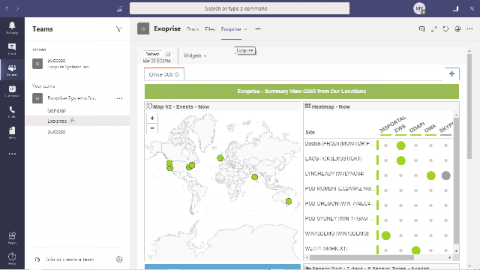
For those of us already using Microsoft Teams, the benefits couldn’t be clearer: Microsoft Teams provides everyone with one place to chat, meet, call, and collaborate, no matter where you are. IT professionals who support modern workplace tools like Office 365, and remote meeting platforms like Zoom and WebEx, can greatly benefit from connecting critical applications like Exoprise, directly into the Teams Channels they are already using.

Luware Nimbus Among the First Microsoft Teams Phone Extensibility Contact Centers

Introducing Luware Nimbus Power, our next-gen Teams-integrated contact center utilizing Microsoft's Teams Phone extensibility. Get AI, dual persona & more: join the waitlist for updates. Discover how the EU AI Act impacts the financial industry. Download our white paper to get key insights and actionable steps on how to stay compliant. SaaS isn't dead—it's evolving. AI will remove inefficiencies, but apps that unlock a business's full potential will thrive.