Teams | Collaboration | Customer Service | Project Management

Helping to get everyone in their element

Over the past few years, we've been working hard to identify and deliver accessibility improvements for all of our users across our platforms. Each tweak might seem subtle on its own, but together they create a continuous movement in the right direction towards a more accessible communication platform. For users who rely on screen readers, keyboard navigation, or other assistive technologies, the difference between “usable” and “comfortable” often comes down to the details.

What Is Artificial Intelligence (AI)? Definition, Types, Examples & Use Cases

Artificial Intelligence (AI) has become a cornerstone of modern technology, transforming how we work, communicate, and live. But what exactly is Data for AI? How does it function, and what are its real-world applications? In this article, we'll explore AI's definition, types, real-world examples, and impactful use cases across industries.

M-Files + Microsoft 365: A New Era of Smart Document Management

We’re excited to announce a major leap forward in our partnership with Microsoft: M-Files now natively stores content in Microsoft 365. This innovative approach empowers organizations to harness the full power of Microsoft 365 while benefiting from M-Files’ industry-leading.

August 2025 Version Update: Quote Estimation Matrix & Budgeted Time by Roles

Our August update brings powerful improvements to the core experience of Scoro. Explore the new quote estimation matrix for managing deliverables with multiple roles and doers. Gain more visibility into the time budget by roles at the task level. And that’s just the start – we’ve packed in many other improvements to bring more efficiency and ease to everyone’s day!

Timesheet templates: How to track team progress

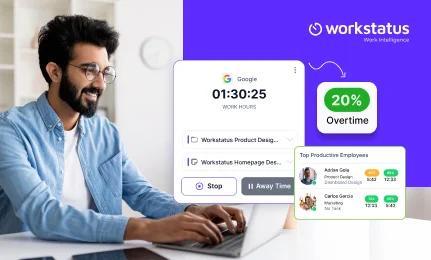
Timesheets keep track of team member work hours and help companies hit their goals. But did you know that timesheets can also help you manage projects and monitor team performance? In this article, learn how to integrate online time tracking with your daily workflow to align your team and increase flexibility. What if we told you a timesheet was more than a punch clock tool used in movies? In fact, modern timesheets can help you track team workload, reduce burnout, and evaluate overall team progress.

The Operator's Guide to Mergers & Acquisitions with Dom Hawes

From the outside, M&A can seem like a clean transaction – a new parent company, a logo change, a cheerful announcement. But inside? The reality is messier. Integration. Culture clashes. Reporting headaches. And a long list of decisions that determine whether the deal actually works. Dom Hawes has lived both sides. After his own agency was acquired (badly), he went on to build Selbey Anderson – a marketing services group backed by private equity, designed from day one to scale through M&A.

11 Employee Productivity Software Solutions - Pros, Cons & Our Verdict

Productivity software should help your team focus, not feel like they’re being watched. Whether you need detailed time tracking, workflow optimization, or enterprise-grade monitoring, the right tool can make or break performance. In this video, we break down 11 of the top employee productivity platforms, from heavy-duty monitoring suites to lightweight trackers, so you can find the right balance between accountability and autonomy.

Zendesk Deep Dive: Deliver trusted CX across AI and human agents

Discover how Zendesk AI agents that act human build trust and transform customer experience in this session. Learn how AI agents handle up to 80% of tickets, freeing your team for complex issues while maintaining empathy and quality. Explore native quality assurance tools with dashboards and automated scoring that monitor AI and human agent performance. Watch the live demo to see QA insights in action and learn how to deliver smarter, personalized support at scale.

What's New: What we launched in July 2025

Great ideas typically come to us in the messy, in-between moments. But turning them into polished presentations, organized plans, and actionable next steps? That’s where teams usually hit the brakes. This month’s Miro updates help you move from idea all the way to delivery without losing steam — whether you’re turning rough concepts into polished slide decks, tracking progress, or keeping your team aligned at every stage of work. Let’s dive into what’s new this month.