Teams | Collaboration | Customer Service | Project Management

Sandbox version management: Inspect, compare, and deploy Zendesk configurations | What's New

Managing configuration changes across environments can be risky and time-consuming. Sandbox version management gives admins a unified way to inspect configurations, save snapshots, compare changes, and deploy updates between environments. This makes it easier to understand what’s changing, preserve known-good versions, and move configurations with more confidence. Zendesk makes customer and employee service better. We build software to meet customer and employee needs, set your team up for success, and keep your business in sync.
IT asset management: Track and manage employee devices directly in Zendesk | What's New

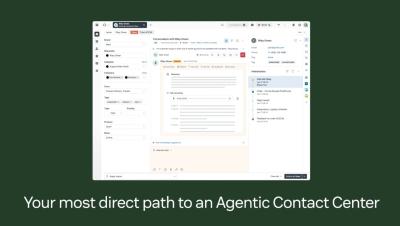
Employee support issues often tie back to the devices people rely on every day. But asset details don’t always live where tickets do. IT asset management in Zendesk gives internal service teams a single place to track and manage employee devices alongside support tickets. Teams can view asset details like status, ownership, location, and related ticket history, helping agents resolve issues with more context and less back-and-forth. IT specialists and asset managers can even assign devices and manage inventory all within Zendesk.

Zendesk acquires Forethought, introducing self-improving AI agents to lead agentic service era

We have signed a definitive agreement to acquire Forethought, which will take's ability to learn from every interaction and will amplify it across every channel and platform. Zendesk makes customer and employee service better. We build software to meet customer and employee needs, set your team up for success, and keep your business in sync.
Tasks: Create step-by-step checklists for tickets to standardize workflows | What's New

Complex requests often require multiple steps, and it’s easy to lose track inside a ticket. Tasks let admins create reusable task list templates that can be added to tickets directly in the Agent Workspace. The task list appears as individual steps agents can check off as they work, making it easier to follow standardized processes and track progress without leaving Zendesk. Zendesk makes customer and employee service better. We build software to meet customer and employee needs, set your team up for success, and keep your business in sync.
Data masking: Limit access to sensitive customer data | What's New

Not everyone needs access to sensitive customer information. Data masking lets admins hide personally identifiable information—like names, email addresses, and phone numbers—from agents in custom and light agent roles. Limiting data visibility by role reduces unnecessary PII exposure, preserves ticket workflows, and protects sensitive information. Zendesk makes customer and employee service better. We build software to meet customer and employee needs, set your team up for success, and keep your business in sync.
Attachment deletion schedules: Automatically remove attachments to manage storage | What's New

Attachments often contain sensitive information — and keeping them longer than necessary can increase risk and storage costs. Attachment deletion schedules let admins automatically delete attachments from closed and archived tickets based on flexible conditions like ticket age, group, tags, or brand. This helps teams maintain control and simplify security—automated attachment management reduces manual work while keeping your Zendesk workspace secure, auditable, and compliant.

Here are the 4 big customer service market shifts of 2026 | Zendesk CTO Adrian McDermott

The rules of customer service are changing. Zendesk CTO Adrian McDermott takes us through where the industry, and Zendesk, is headed next. Zendesk makes customer and employee service better. We build software to meet customer and employee needs, set your team up for success, and keep your business in sync.
AI-powered recommendations: Find and fix stale macros, triggers, and automations | What's New

Over time, triggers, macros, and automations can become outdated, duplicated, or harder to manage. New AI-powered recommendation types in the Copilot Admin Center help admins identify unused or stale triggers, macros, and automations, and get guidance on improving Auto Assist setups. You can also review previously accepted or dismissed recommendations to better manage changes over time. Zendesk makes customer and employee service better. We build software to meet customer and employee needs, set your team up for success, and keep your business in sync.