
Teams | Collaboration | Customer Service | Project Management

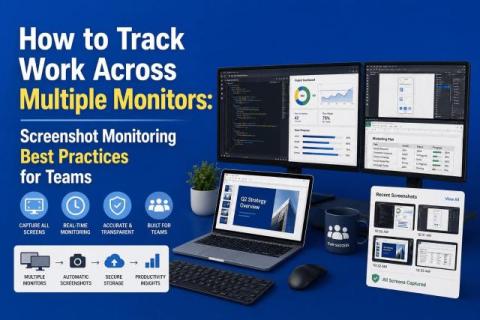
How to Track Work Across Multiple Monitors: Screenshot Monitoring Best Practices for Teams

Multi-monitor setups are now the norm for remote and hybrid teams. A single screen often misses part of the work context, but capturing every screen by default can erode privacy and create review noise. The real challenge is not whether to monitor, but how to do it responsibly. Teams need a screenshot approach that gives managers enough visibility to understand work patterns, while still respecting employee privacy, minimizing distractions, and avoiding unnecessary surveillance.
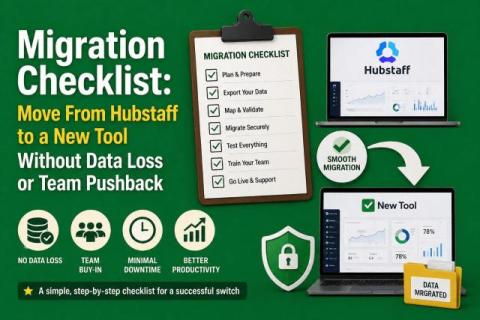
Migration Checklist: Move From Hubstaff to a New Tool Without Data Loss or Team Pushback

Switching time‑tracking platforms is a strategic move rather than a simple software swap. You have to protect your historical data, avoid billing and payroll disruption, keep your team onboard and, ideally, move to a tool that offers better visibility without adding administrative burden. You need to preserve historical data, avoid payroll or billing disruptions, keep your team aligned, and upgrade visibility without adding extra admin work.

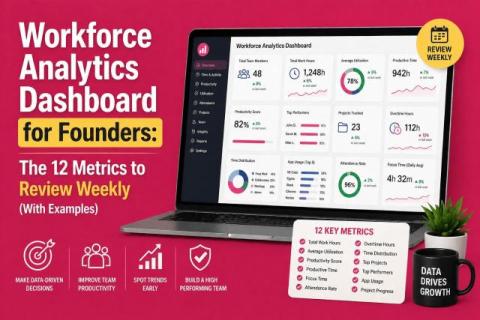
Workforce Analytics Dashboard for Founders: 12 Metrics

Running a company means making decisions quickly, and your team data should help you do that as quickly as possible. A workforce analytics dashboard gives founders a clear view of how work is flowing across the business, where time is being spent, and where performance may need attention. But not every metric deserves equal attention. The real value comes from tracking the right weekly numbers that help you understand output, efficiency, and team health at a glance.

Beyond the Jira board: how autonomous workflows unlock engineering velocity

Engineering teams today are shipping more than ever. Sprint boards move quickly, work items are completed on schedule, and releases move forward with steady momentum. As engineering output scales, so does the time spent across the broader software development lifecycle (SDLC). Jira continues to play a critical role as the system for organizing, tracking, and delivering work.

Meta Is Watching. Are You Ready For When Your Employees Ask If You Are Too?

Meta made headlines this week when Reuters reported the company is installing tracking software on U.S. employee computers, capturing mouse movements, clicks, keystrokes, and periodic screen snapshots as training data for its AI models. The program, called the Model Capability Initiative, sits inside Meta's broader push to build AI agents capable of performing knowledge work autonomously. Meta was quick to add a qualifier: the data will not be used for performance evaluations.

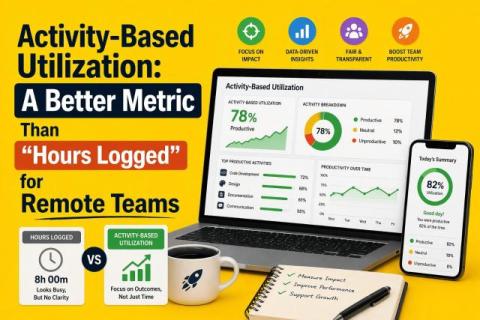
Activity-Based Utilization: A Better Metric Than "Hours Logged" for Remote Teams

In the U.S., 53 percent of remote‑capable employees are working a hybrid schedule in 2026, 27 percent are fully remote and only 20 percent are on‑site. That means most managers now oversee distributed teams. While remote work offers flexibility, it also makes it harder to judge whether people are working effectively.

The Best Intake Form Software for Healthcare - and Why the Clipboard Is Still Causing Harm

Before the doctor walks in, before the diagnosis, before the prescription – there is a form. And more often than we admit, that form is where things start to go wrong. A 67-year-old man sits in a waiting room, clipboard balanced on his knee. He’s here for a pre-surgical consultation. The form asks for his current medications. He pauses, trying to remember the name of the blood thinner he started a couple of months ago. It’s on the tip of his tongue, but not quite there.

10 Best AI Workflow Management Tools for 2026

Your project management stack is probably held together with duct tape and good intentions. I know because I've seen it firsthand across hundreds of client-facing teams. The pattern is always the same: one tool for task tracking, another for time logging, a spreadsheet for resource planning, and a prayer that nothing falls through the cracks. What we see across Teamwork.com customers is that this tool sprawl isn't just annoying. It's expensive.