

Teams | Collaboration | Customer Service | Project Management

25 iMessage Tips and Tricks You Should Know

People who use an iPhone look at iMessage a lot every day. They use it times but they only use a small part of what iMessage can really do. The iMessage app looks simple with its bubble but it has a lot of features that are not being used. There are things, like effects and scheduling and privacy controls and editing and some secret tricks that are not well known. Most people who use iMessage do not know about these things. They go undiscovered. The iMessage app is very powerful.
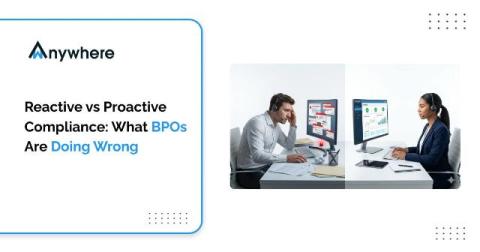

Reactive vs Proactive Compliance: What BPOs Are Doing Wrong

In BPO environments, compliance failures do not always begin with a major incident. They often start with small, unnoticed gaps that build up over time. That is why the difference between reactive vs proactive compliance matters so much. Reactive compliance waits for an audit, complaint, or breach before action is taken. Proactive compliance uses real-time compliance monitoring and immediate alerts to stop risks early.

8 Best Project Management Calendar Tools

The best calendar for project management combines an intuitive calendar view with task tracking, milestones, and team collaboration in one platform. For teams that need visual scheduling with drag and drop functionality, Nifty offers the strongest balance of features, ease of use, and value—especially for small to mid-sized teams managing multiple projects.

Screen Mirroring for Beginners - What It Is, How It Works, and the Best Tools to Use

You are in a meeting, you want to show something on your phone or laptop to the rest of the room and instead of passing the device around or emailing a file, you simply project your screen wirelessly onto a bigger display for everyone to see instantly. That is screen mirroring in its simplest form. For beginners, screen mirroring can sound like a technical feature reserved for IT professionals.

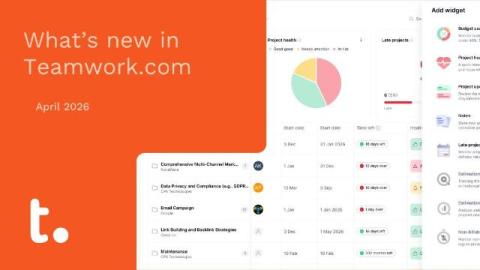
What's new in Teamwork.com | April 2026

April’s roundup is all about giving you more control and clarity across your work—from the new Insights Panel that brings customizable, widget-based reporting into a single view, to deeper AI integrations with Claude Cowork for real-time project insights. We’ve also introduced more flexible quote settings, expanded automation capabilities across the platform, and given you more visibility over Scheduled Reports.

Best Enterprise Workflow Automation Software in 2026

Before I joined Teamwork.com, I spent many years working at agencies and start-ups that were scaling fast. One pattern kept repeating: a team would nail their project delivery process at 20 people, then completely fall apart at 50. The manual workflows that held things together, spreadsheets tracking approvals, email chains for resource requests, copy-paste status updates, all broke the moment the org tried to scale. The case for project management automation is obvious in hindsight.