Teams | Collaboration | Customer Service | Project Management

What Is On-Premise Instant Messaging? A Complete Guide

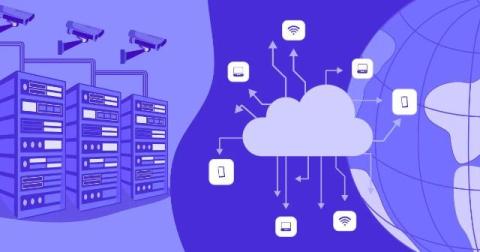
On-premise instant messaging is a business communication solution that is hosted and managed on an organization's own servers or private infrastructure instead of a third-party cloud. It allows businesses to keep complete control over their messages, files, and communication data while maintaining better security and privacy. This guide explains how on-premise instant messaging works, its benefits, key features, challenges, and how to choose the right solution for your organization.

7 Productivity Myths Killing Your Hybrid Workforce (2026 Guide)

It is high time that your team leaders believe that hybrid work is here to stay. If your company or manager has a problem with the hybrid work culture, it’s the problem of failing to follow it. Hybrid work was a compulsion during COVID times, and since then, most companies have adapted as it felt convenient to them. Four years later, those same rules are quietly tanking output, burning out managers, and making good people quit.

Secure Messaging for Healthcare - HIPAA Compliant Tools and Best Practices

Secure messaging for healthcare is the use of encrypted, access-controlled communication platforms that protect Protected Health Information (PHI) while enabling secure communication between clinicians, care teams, patients, and administrative staff. Unlike consumer messaging apps or standard SMS, healthcare messaging platforms provide encryption, audit trails, and access controls to support HIPAA compliance and protect sensitive patient data.

12 Best Contractor Management System Software for 2026

Managing contractors through disconnected spreadsheets, emails, payroll platforms, and project tools creates avoidable operational gaps. Onboarding requirements vary between departments, important documents become difficult to locate, and contractors may begin work without clear responsibilities, deadlines, or project context. Managers are also left without a reliable view of contractor availability, logged hours, costs, outstanding approvals, and delivery risks.

Attendant Console for Microsoft Teams: How Reception Teams Connect Callers Faster

An attendant console for Microsoft Teams is a dedicated call-handling interface that lets receptionists manage high call volumes directly inside Teams. It combines caller identification, directory search, real-time presence, calendar visibility, and one-click transfers in a single view, so front-desk teams can connect each caller to the right person on the first try instead of searching across three or four separate windows.

August 2026 Version Update: Calendar Improvements & Expanded ELI Capabilities

This August, we are focusing on removing administrative friction from your day-to-day operations and helping your team work more smoothly. We’ve further improved ELI – our AI-powered assistant – and recently held a webinar where we demoed its newest capabilities now available to you.

The full-stack builder and the new shape of the product organization

Tomer Cohen spent 14 years at LinkedIn, six of them as Chief Product Officer. At Canvas 26, he discussed the rise of the full-stack builder — what it means for roles, org charts, and coordination — and named the collaboration challenge nobody has cracked yet. In fall 2022, Tomer Cohen sat in a conference room in Redmond and watched a demo of GPT-4 — several months before the rest of the market would see it.

Inside AI Builders Week: How teams work in the AI era

Each quarter, we ask some of our R&D teams to take a week away from the day-to-day to experiment and innovate on AI. We call this AI Builders Week, and it helps fuel our AI transformation. In past quarters, we’ve focused on building for individual workflows — how do we each get faster and more productive by inserting AI into different parts of our daily to-dos?