Teams | Collaboration | Customer Service | Project Management

Unlocking Zendesk: Streamline responses with bulk edit

Overwhelmed by a pile of Zendesk tickets that all need the same update? In this episode of Unlocking Zendesk, Jude Kriwald shows how to use the bulk edit feature to save time and avoid repetitive work. Whether it is updating statuses, assigning tickets, or adding a note across multiple conversations, bulk edit helps you clear the queue in one go. Select and edit multiple tickets at once Update fields like status, assignee, tags, or comments Add internal notes or tags to track bulk updates Save time while keeping your workflows consistent.

Unlocking Zendesk: Auto prioritize unhappy customers

Want to make sure unhappy customers get priority attention in Zendesk? In this episode of Unlocking Zendesk, Jude Kriwald shows how to use Intelligent Triage sentiment detection to automatically flag and prioritize tickets with very negative sentiment. With the right trigger, Zendesk can detect frustration and push those tickets to the top of the queue before an agent even opens them.

Can AI Build Dashboards Better Than Me? (Zendesk + Geckoboard Test)

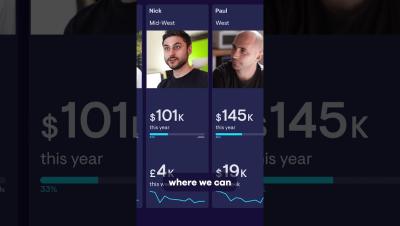
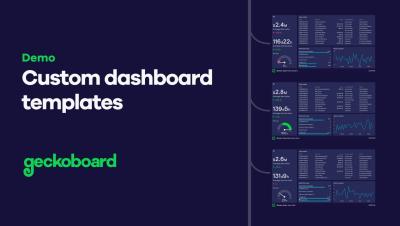
Can AI really build dashboards better (and faster) than a human? In this video I put ChatGPT's Agent mode to the test against me, challenging it to create a Zendesk Support dashboard in Geckoboard. Watch as ChatGPT configures key Zendesk metrics like: ...or does it? I filmed the whole build process so you can see exactly where AI shines, where it struggles, and whether letting ChatGPT loose on your dashboards is a realistic shortcut or just a fun experiment.

Unlocking Zendesk: Ultimate keyboard shortcuts

Unlock hidden speed in Zendesk with these powerful keyboard shortcuts. In this episode of Unlocking Zendesk, expert Jude Kriwald walks you through the essential shortcuts every Zendesk user should know to save time and work more efficiently. From jumping straight to your views, to creating tickets on the fly, to instantly pulling up macros and submitting tickets with a keystroke, you’ll wonder how you ever worked without them.

Unlocking Zendesk: The 'Not Present' condition

Keep your Zendesk clean and consistent with this simple trick: the 'Not Present' condition. In this episode of Unlocking Zendesk, expert Jude Kriwald shows how one of the most overlooked options in triggers and views can instantly tidy up your workflows. Instead of checking for a specific value, Not Present checks whether a field has been filled at all — making it perfect for catching incomplete or forgotten tickets.