Teams | Collaboration | Customer Service | Project Management

ServiceRocket extends the power of Miro with a new suite of enterprise-ready integrations

ServiceRocket’s new apps and integrations provide incredible value to Miro users across Salesforce, GitHub, and Autodesk. ServiceRocket is a technology solutions partner that helps thousands of enterprises get the most out of their software. The latest addition to their portfolio of enterprise-ready solutions: a suite of new apps and integrations for Miro’s public App Marketplace.

Database modeling made simple with new ER diagram templates in Miro

You might already know that Miro is an intuitive workspace where you and your team can collaborate on work from end to end — from brainstorming and designing to iterating and delivery. But did you know you can also use Miro to build ERD diagrams? In this post, we’ll explore several ready-made ERD templates in Miro that will kickstart your database design process, facilitate effective communication, and ensure data consistency across your organization.

Get started in the Miroverse: Here are our most popular templates

The options for what you can create in Miro are nearly limitless. Wondering where to get started? We’ve rounded up 10 of our best and most popular Miro templates along with related Miro board examples from our community templates gallery, Miroverse. Check out these templates and examples to see how our users treat templates as launch pads for their own creative, unique, and customized boards.

Do more with diagramming: Combine the powers of draw.io and Miro

If your work requires you to create diagrams, you might be familiar with draw.io (also diagrams.net), an open-source, web-based diagramming tool offering complex and niche diagrams: network diagrams, server rack diagrams, floor plans, and more. You might also use Miro, an innovation workspace that lets you virtually collaborate with colleagues on a variety of tasks and projects — whether it’s brainstorming, planning, designing, or building the next big thing.

How I do it in Miro: Networking diagramming with software engineer Andre Mocke

Technical diagramming tools help engineers and other IT workers visually represent systems, infrastructures, and complex interactions. These diagrams can help to optimize cloud performance and, in turn, ship products and services more efficiently. But not all diagramming tools were created equal. Some tools have a limited library of shapes and symbols, make it difficult to collaborate or communicate with team members, or require a separate tool for exporting and sharing work.

What's New: What we launched in May 2024

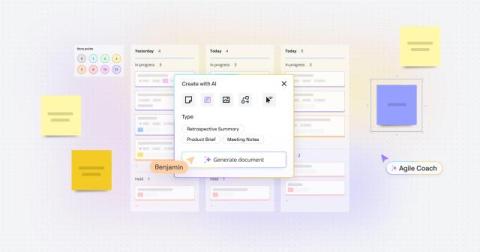
This month we’re thrilled to share several powerful updates that will amplify your planning, collaboration, and user experience. An enhanced Planner app, smarter Azure DevOps integration, and AI-powered alt text suggestions: These updates and more were designed to streamline your workflow and boost productivity. Not to mention we have three accessibility updates to improve how assistive technology works with Miro, helping to ensure everyone can experience the Miro magic.

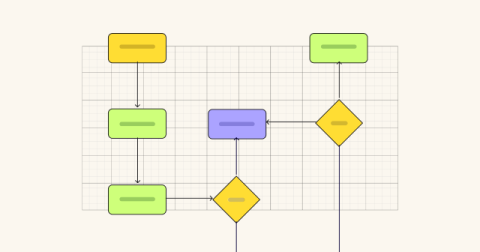
5 process map templates to document, streamline, and optimize your processes

Inefficient processes carry a big price tag for businesses. Formstack’s State of Digital Maturity report found that 51% of U.S. workers spend at least two hours a day on repetitive or inefficient tasks. That translates into an estimated $14,560 per employee per year that could be invested in growth. One of the best tools for streamlining efficiencies (and banishing inefficiencies) is a process map.

Two ways to create collaborative org charts fast in Miro

If your organization uses Miro, you might already know that it’s a user-friendly, intuitive workspace where you and your colleagues can collaborate, brainstorm, manage projects, give presentations, and more. But did you know you can also use Miro to build org charts? In this post, we’ll share several ready-made org chart templates that will save your organization time as you plan for the future.

Mapping your software: Your guide to essential architecture diagrams

Whether a developer is maintaining an existing product or building a new one, they’re likely not doing it in a silo. From teammates to designers and product managers, there can be many stakeholders for even just a small feature change. That’s why it’s so important to have a software architecture diagram: a source of truth that outlines your software’s structure and the relationship between its different components.