Teams | Collaboration | Customer Service | Project Management

Fireside chat: real success stories of using live data in support

A short fireside chat from the Geckoboard Breakfast event in London, featuring Tom Mercer from Spotler and Chris Brogan from Token. They share how real time dashboards help them stay ahead of issues, improve SLA performance, keep product and support aligned, and give customers a clearer view of what’s happening.

Unlocking Zendesk: Automatic GDPR safety nets

Some tickets, like GDPR data deletion requests, need extra care. In this episode of Unlocking Zendesk, Jude Kriwald shows how to use a trigger that adds an automatic internal note — giving agents clear instructions inside Zendesk so nothing important gets missed. This simple workflow keeps everyone aligned and reduces errors without ever leaving the workspace. Automatically add internal notes with key steps or reminders Use tags to ensure the trigger only runs once Keep agents consistent when handling sensitive requests Build better reporting in Explore using these tags.

Unlocking Zendesk: Streamline responses with bulk edit

Overwhelmed by a pile of Zendesk tickets that all need the same update? In this episode of Unlocking Zendesk, Jude Kriwald shows how to use the bulk edit feature to save time and avoid repetitive work. Whether it is updating statuses, assigning tickets, or adding a note across multiple conversations, bulk edit helps you clear the queue in one go. Select and edit multiple tickets at once Update fields like status, assignee, tags, or comments Add internal notes or tags to track bulk updates Save time while keeping your workflows consistent.

Unlocking Zendesk: Auto prioritize unhappy customers

Want to make sure unhappy customers get priority attention in Zendesk? In this episode of Unlocking Zendesk, Jude Kriwald shows how to use Intelligent Triage sentiment detection to automatically flag and prioritize tickets with very negative sentiment. With the right trigger, Zendesk can detect frustration and push those tickets to the top of the queue before an agent even opens them.

We asked ChatGPT to build a Zendesk dashboard - here's what happened

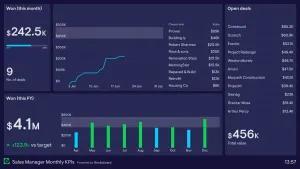
Like many of us, I’ve been curious about whether AI can actually take on real work. Not just write snippets of text or answer questions, but actually do things inside SaaS tools. So after a few nights of very bad sleep recently, I decided to put that curiosity to the test and see if AI could take over dashboard-building duties for me. If I wasn’t firing on all cylinders, maybe ChatGPT’s recently-launched Agent Mode could pick up the slack and build a dashboard for me using Geckoboard.

Can AI Build Dashboards Better Than Me? (Zendesk + Geckoboard Test)

Can AI really build dashboards better (and faster) than a human? In this video I put ChatGPT's Agent mode to the test against me, challenging it to create a Zendesk Support dashboard in Geckoboard. Watch as ChatGPT configures key Zendesk metrics like: ...or does it? I filmed the whole build process so you can see exactly where AI shines, where it struggles, and whether letting ChatGPT loose on your dashboards is a realistic shortcut or just a fun experiment.

Unlocking Zendesk: Ultimate keyboard shortcuts

Unlock hidden speed in Zendesk with these powerful keyboard shortcuts. In this episode of Unlocking Zendesk, expert Jude Kriwald walks you through the essential shortcuts every Zendesk user should know to save time and work more efficiently. From jumping straight to your views, to creating tickets on the fly, to instantly pulling up macros and submitting tickets with a keystroke, you’ll wonder how you ever worked without them.

Unlocking Zendesk: The 'Not Present' condition

Keep your Zendesk clean and consistent with this simple trick: the 'Not Present' condition. In this episode of Unlocking Zendesk, expert Jude Kriwald shows how one of the most overlooked options in triggers and views can instantly tidy up your workflows. Instead of checking for a specific value, Not Present checks whether a field has been filled at all — making it perfect for catching incomplete or forgotten tickets.