Teams | Collaboration | Customer Service | Project Management

The latest News and Information on Project Management, Methodologies, Productivity and Tools.

Customizable Monthly Timesheet Template: Free Download

Companies need to keep precise time records in order to pay employees accurately, manage overtime hours and time off, while complying with labor laws. For this, employees can create a timesheet and fill out their working hours daily. Or they could use a timesheet template to make things a little easier, like the customizable template we’ve provided. But for companies looking for an easy and efficient way to track hours, online automatic timesheets are the way to go.

Upwork Reviews: How To Make The Best Out of It

You want to hire a talented but affordable graphic designer, and someone suggests Upwork. All you have to do is register on this global freelancing platform, create a job posting, and then sit back as a slew of candidates jump at the prospect of working on your project. You choose the best or most experienced freelancer, and your project is good to go. Simple, isn’t it? Well, not exactly. Here’s a comprehensive Upwork review to help you make the best of this digital freelance job site!

Sponsored Post

Improve your efficiency with new ways of automating tasks and accessing apps in Zoho Projects

In project management, a great deal of time is spent switching between tabs, updating task statuses, and notifying relevant teammates. Despite taking up a significant part of one’s work hours, these repetitive tasks often feel inconsequential when assessing one’s productivity. The latest Zoho Projects updates aim to reduce project delays caused by mundane yet unavoidable tasks and help teams stay on top of their schedules.

To-the-Minute Scheduling on Tasks and Projects

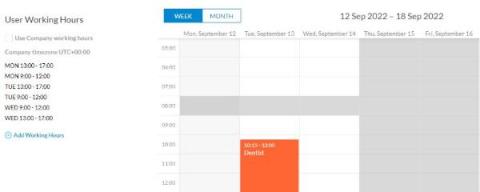
Scheduling is a key aspect of project management. Effective project management scheduling includes more than just setting the project due date. Rather, for effective planning, a project manager should ensure to define the task and project activities, estimate effort and duration, determine dependencies and monitor everything in real-time. OneDesk offers many options and helpful tools for scheduling and monitoring the progress of your tasks and projects.

Subtasks Rollup Settings and the Subtask Tree View

Subtasks are a popular project management and helpdesk feature in OneDesk. Subtasks are great for breaking down complicated tasks into smaller ones. One stand-out aspect of subtasks in OneDesk is the fact that subtask are full-featured tasks. In many other project management applications, subtasks are ‘weak’ tasks with limited features. With OneDesk, subtasks have the same powerful functions of a regular task.

How To Choose A Project Management Tool In 7 Steps

Project management is a practice that has proven to be highly beneficial to the companies that apply them well. But not all companies are successful in implementing the right project management systems. One of the key challenges most institutions fail is figuring out how to choose a project management tool in the first place.

12 essential charts for project management

Projects keep growing more and more complex, and as they do, so do the responsibilities of the people who manage them. Project management charts are vital for first understanding project data yourself and then for communicating that data effectively to others. Charts also play a part in establishing the value of project management. Project management is a deeply important discipline, but it can sometimes be challenging to see that value visually.

OneDesk - Project Roles and User Permissions

OneDesk has user-level permissions, as well as project and team roles. Learn about the different user permissions, and how to set user permissions. OneDesk combines Help Desk & Project Management software into a single application. OneDesk also includes customer-facing applications: real-time chat, customizable webforms, and a customer portal. These integrated applications allow you to serve your customers while conveniently working on your projects in one platform.