Teams | Collaboration | Customer Service | Project Management

Revolutionize Team Decisions with Dot Voting on Miro

Discover the power of the Dot Voting Widget and streamline your decision-making process! In this video, learn how to effortlessly gather feedback and prioritize tasks using Miro’s Dot Voting Widget. We'll guide you through adding the widget to your board, setting up engaging voting sessions, and letting participants cast their votes by dragging dots onto objects. Watch as votes automatically attach to their respective objects, making it easy to cluster themes or organize cards into timelines while keeping track of votes.

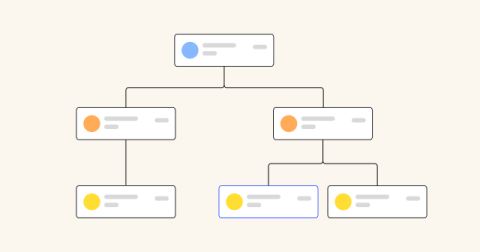
Level up your org charts with Miro: Types, tips, and templates

Can your org chart fit on an 8.5-by-11-inch piece of paper? Chances are, it can’t. Yet, many companies still try to create their org charts in Word or Powerpoint. If your organization is more dynamic than static, it’s time to level up. An org chart is a map of relationships. At a basic level, it illustrates who is responsible for what and whom. There are many types of org charts to choose from, depending on your company size, structure, and preferences.

Mastering the Miro Story Points Widget

Unlock the power of the Story Points Widget and transform your team’s estimation process! In this video, discover how easy it is to add the Story Points Widget to your board, enabling your team to select, drag, and attach story points to sticky notes or cards effortlessly. See how story points integrate seamlessly with Miro and Jira cards, keeping your records up-to-date and your team aligned. Perfect for visual and collaborative estimations, this feature is a game-changer for your workflow.

How I do it in Miro: PI Planning with Becky Juda at CleanChoice Energy

PI planning is an essential element of the road to success for many organizations. Taking part in or conducting PI planning sessions provides an opportunity for business stakeholders, project owners and teams to review their program backlog, identify priorities and analyze and determine their goals. As part of PI planning, it’s important to get the team together in an engaging and collaborative way.

How to use visual diagramming to unlock better SDLC collaboration

Today, software development teams are facing increasing pressure to deliver more, faster—even in the face of increasing technical complexity. In fact, two of the biggest challenges reported in a recent survey of software developers were an inability to keep pace with innovations in developer tools (27.7%) and a struggle to manage workloads (26.2%). The software development life cycle is complex, and blends both people and product management and technical work.

How I Run PI Planning in Miro - Becky Juda

Join Becky Juda, Senior Agile Delivery Manager at CleanChoice Energy, as she shares how Miro transforms their quarterly PI planning. Discover how they use their PI planning template in Miro to help stay organized, reduce their carbon footprint, and improve team collaboration. If you like Becky’s board, head over to Miroverse to try it out with instructions on how to use it from Beky.