Teams | Collaboration | Customer Service | Project Management

How we built Slides

We’re taking you behind the canvas to meet the people who actually make Miro. We’ve already taken a look at Tables & Timelines and Diagramming. Next up: Slides. With Slides, you can transform any content on your canvas into an interactive presentation just by hitting a button. You can drop in formats like diagrams and tables, use engaging widgets like dot voting and sliders, or easily import from Google Slides or PowerPoint.

How I Instantly Visualize AWS Cloud Infrastructure in Miro with Cloud View

Alex demonstrates how to instantly visualize and document your AWS cloud infrastructure using the AWS Cloud View app in Miro. See how to connect your AWS account to Miro, quickly import and explore your entire cloud setup, and instantly understand what’s actually running, even in long-standing, complex environments.

How to Create and Use Frames in Miro - Quick Tutorial

Organize your Miro boards like a pro with frames! In this quick tutorial, learn how to create and use frames to structure your content, navigate seamlessly, and present your ideas effectively. What you'll learn in this video: Master the art of organizing with frames in Miro. Watch now and take your boards to the next level! Found this helpful? Like, comment, and subscribe for more Miro tips in under a minute!

How we built Diagramming

We’re taking you behind the canvas to meet the people who actually make Miro. We’ve already taken a look at Tables & Timelines. Next up: Diagramming. Miro helps teams visualize complex diagrams, processes and systems super fast. It includes over 2,500 diagramming shapes and hundreds of templates to support everything from optimizing cloud costs to mapping your organization.

How to Run a High-Impact Planning Session in Miro

Ready to transform your team’s planning sessions from scattered to structured? In this video, we walk through how to use Miro to lead collaborative, effective planning meetings—even if your initial brainstorm board is total chaos (we’ve all been there). In this session, you'll learn how to: Whether you're planning a project kickoff or a quarterly strategy, Miro helps you align, engage, and get results—together.

What's New: What we launched in June 2025

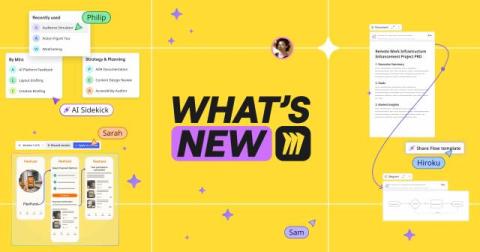
Tired of wasting time on formatting, syncing, or tracking changes? Miro’s latest updates cut the clutter so you can focus on solving problems. With smarter diagrams, real-time collaboration, AI-powered catch-up, and seamless cloud and data tools, it’s easier than ever to stay aligned and move work forward—fast. Before we dive in, a quick heads-up: Canvas 25 is back—live in NYC and online on October 14. Don’t miss the latest on AI collaboration and new Miro product drops.

Accelerate your AWS Well-Architected Framework Reviews (WAFR) with Miro

Accelerate your AWS Well-Architected Framework Reviews (WAFR) with Miro, the 2023 AWS Partner of the Year. Instead of juggling PowerPoint, Jira, and AWS Console, Miro gives you a single, collaborative workspace designed to streamline every step of your cloud adoption process..

6 Ways to UNLOCK your Diagramming Workflow

Want to get the most out of diagramming in Miro? In this video, we’ll walk through 6 powerful features that will supercharge your technical diagramming workflow—whether you're building flowcharts, network diagrams, or system maps. Learn how to: Perfect for designers, engineers, and product teams looking to bring clarity to complex systems.

Miro for AWS Cloud Adoption Framework (CAF) Workshops

Miro’s AWS CAF Workshop Blueprint helps organizations plan and execute their cloud transformation strategy. These workshops play a key role in defining business goals, aligning stakeholders, and creating a clear cloud adoption roadmap – following AWS best practices. This Miro Blueprint offers a structured, organized approach for setting up and running AWS CAF workshops, minimizing preparation time while allowing focus on meaningful discussions about cloud adoption. You can use it to.