Teams | Collaboration | Customer Service | Project Management

Introducing Miro's MCP Server - Empower AI with Better Context to Build Faster

Your AI coding agents, now more powerful, connected to visual collaboration. With Miro's MCP server, you can now understand exactly what your codebase looks like, and translate your inputs to generate new code, instantly. Onboard faster onto existing codebases with Miro's MCP server - connect to Cursor, Claude Code, GitHub Copilot, AWS Kiro, OpenAI Codex, or any other tool and visualize your codebase directly as a diagram, document, or table, making it easier to understand and collaborate with your team to build on top of what already exists.
The Complete Guide to Miro Tables, Timelines, and Kanban Boards

Miro's integrated project management formats bring Tables, Timeline, and Kanban together in one unified system. Every item exists as a single record that stays synced across all three views, no more duplicating work or losing track of updates. Drag sticky notes straight from brainstorming into a structured table, add priorities and deadlines, then switch to Timeline view to visualize your schedule and spot dependencies.

I Created A Complete Startup Pitch In Record Time

Join us for a 15-minute challenge to generate new business ideas and prepare for investor pitch deck presentations using Miro Flows. In this session, Tony Beltramelli, quickly covers how to build startup concepts, from initial brainstorming to outlining key deliverables. He'll explore essential steps in entrepreneurship, ensuring you're ready to seek feedback and funding for your venture.

How to use Miro Flows & Sidekicks for Marketing Campaigns

What if you could go from strategy docs to campaign mockups without the back-and-forth? Miro Flows makes it possible. This tutorial covers the AI Accelerated Marketing Campaign Definition template—a multi-step workflow where inputs connect directly to outputs through Flows. We start by adding a company strategy document, customer segment overview, brand guidelines, tone of voice documentation, and website screenshots.

We Automated Our Entire Research Workflow - Here's How

Speed up your user research projects with Miro Flows and Miro Sidekicks. In this tutorial, we show how AI can collaborate with you both in your content and directly on the canvas - turning multiple inputs into actionable research outputs. We start with the AI Accelerated Research Project template, then customize the Flow by adding different inputs like docs, sticky notes, competitive landscape, and company branding. Miro Flows processes all your inputs and executes the workflow automatically, so you can focus on insights, not setup.

Miro Engage Tutorial: Everything You Need to Know

Miro Engage transforms any meeting into an interactive experience, whether you're hosting a team retro, running a client presentation, or leading a company town hall with thousands of participants. In this tutorial, we walk through how Miro Engage works from start to finish. You'll see how to add live polls and activities directly onto your slides, how participants can join using an automatically generated QR code (no Miro account needed), and how responses appear on the board in real time.

Miro Engage: Turn every meeting into an interactive experience

Your most important sessions, workshops, all-hands, trainings, should build momentum, not drain it. With Miro Engage, you can transform any presentation into a two-way conversation right on your canvas. Add live polls, word clouds, and Q&A directly to your slides. Watch participants join and contribute instantly from any device with a simple QR code. Then, use Miro AI to instantly organize feedback, spot patterns, and turn collective input into clear next steps.

How to Build Your Quarterly OKRs 10x Faster

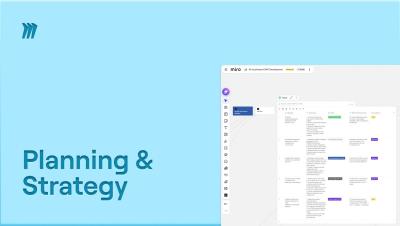
Setting OKRs shouldn't take weeks. With Miro Flows, you can go from strategy documents to a ready-to-present all-hands deck in a fraction of the time. In this tutorial, we walk through the AI Accelerated OKR Development template, a multi-step workflow designed to speed up your entire OKR process. We feed it real inputs: a company strategy document, Power BI dashboard, leadership offsite call transcripts, Q1 results, and company branding. The outputs? A table with OKRs, a company strategy overview document, a strategy diagram, and an all-hands presentation, all generated automatically.

Build Your First Kanban Board in Miro | Full Walkthrough

Want to learn how to build a Kanban board in Miro to bring order and clarity to your team’s work? In this step-by-step tutorial, we’ll show you exactly how to create a Kanban board from scratch or with Miro’s ready-made templates, plus tips for customizing it for your team’s workflow. We’ll cover: What a Kanban board is and why it’s essential How to use Miro’s Kanban templates How to add tasks, customize cards, and track progress Real-world example for engineering teams Pro tips for collaboration and using Miro AI.