Teams | Collaboration | Customer Service | Project Management

Automating Engineering Workflows: How Miro uses MCP & AI Agents

In this webinar, the Miro team explores how the Model Context Protocol (MCP) allows models to move beyond answering questions to performing complex tasks like cooking up code, diagrams, and documentation directly within Miro. We walk through efficiency gains created by using our own MCP Server internally. We cover using it for security reviews, PR Reviews, logs tracing, and building slide decks for leadership presentations.

How to combine Miro Engage with AI Workflows

Unlock the full potential of your collaborative workspace by mastering Miro Engage. This video demonstrates how to bridge the gap between automated data processing and human creativity. We walk you through how to configure AI Flows to handle the heavy lifting of data organization and insight generation, and how to seamlessly transition those outputs into Miro Engage Activities. Whether you're running a remote workshop or managing a complex project, learn how to keep your team focused and interactive.

How To Create a Circuit Diagram in Miro

Circuit diagrams just landed in Miro. In this video, we walk through how to use Miro's 79 specialized Electrical Engineering shapes to build professional circuit diagrams - from basic LED circuits to complex schematics with transistors, logic gates, relays, and power sources, all inside your collaborative workspace. No more isolated files or disconnected tools. Your circuit diagrams now live alongside your project plans, specs, and team discussions - so engineers, product teams, and stakeholders can design, review, and iterate without ever switching apps.

5 Ways to Use Frames You Didn't Know About

Most people use Miro Frames just to organize content - but they're capable of a lot more. In this video, we cover five underused Frame features that can seriously upgrade your Miro workflow. Whether you're running workshops, building AI-powered workflows with Miro Flows, or collaborating on large boards with multiple stakeholders, Frames give you more control than you think. Watch until the end, the last tip alone will save you from ever telling a stakeholder to "scroll to the right section" again.

6 Miro Hacks That Make You Look Like a Pro

If you're still clicking the toolbar to select tools in Miro, you're slowing yourself down. In this third installment of our Miro Shortcuts series, we cover six hidden mechanics that let you bypass the menus entirely - from toggling comments in one keystroke to applying protected locks without touching a single right-click menu. These are the shortcuts that separate casual Miro users from the top 1%. Learn them once and you'll never reach for the toolbar the same way again.

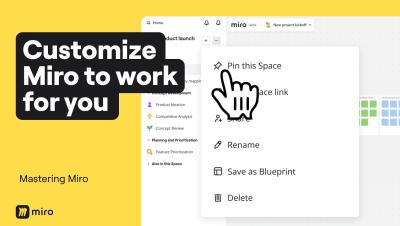
4 Levels of Miro Customization to Save Hours of Work

Most people use Miro as it comes out of the box, but power users know that customizing your workspace can save you hours every week. In this video, we walk through four levels of Miro customization, from quick toolbar tweaks to building AI workflows tailored to how your entire team thinks and works. By the end, you won't just have a faster Miro setup. You'll have an AI Innovation Workspace that captures your team's best practices, speaks your language, and gets smarter the more you use it.