Teams | Collaboration | Customer Service | Project Management

Turn Meeting Notes Into Action Items Automatically with Miro AI

Messy meeting notes never turn themselves into action. In this video, we show you how to select your notes in Miro, choose your output format, and let Miro AI generate a structured task table, system diagram, or decision document in seconds, with ownership, deadlines, and context all intact. From chaotic session to clear next steps. Without the hour of cleanup afterward. Subscribe for more productivity tutorials that transform how your team collaborates.

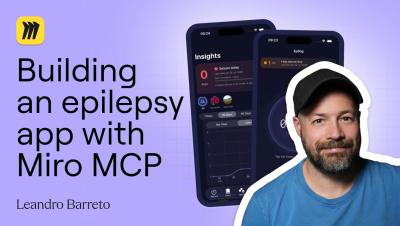
How to Prototype Tablet Experiences in Miro

Tablet design is not just a bigger mobile screen. It needs its own layout thinking, navigation patterns, and interaction hierarchy. In this video, we show you how to generate editable tablet wireframes in Miro AI from a single prompt, how to use existing board content like sticky notes or PRDs as context, and how to convert screenshots into customizable tablet layouts instantly. Structured flows. Real collaboration. Before a single line of code.

Pick the Right Database Using This Comparison Method

Comparing options across browser tabs, docs, and meeting notes is the slow way to make decisions. In this video, we show you how to generate a complete comparison table in Miro AI with a single prompt, then turn it into a full decision document with pros, cons, and a clear recommendation, using a real database evaluation as the example. From scattered data to confident decision. In minutes. Subscribe for more tutorials that simplify complex technical choices in Miro.

Miro Tables & Views Demo: Roadmaps, Kanban & Jira Sync

Miro's Tables turn one set of project data into a roadmap, calendar, timeline, or Kanban board — no duplicate spreadsheets, no manual syncing. Everyone works from the same data, even when each person needs a different view of it. In this walkthrough, Vanessa Lee, Product Manager at Miro, shows how product teams plan, track, and share work directly on a Miro board. What you'll see.

Miro Talktrack for Product Teams: Feedback to Prototype

Miro Talktrack lets product teams record feedback as short video walkthroughs directly on a Miro board — capturing the reasoning behind each note, not just a line of text. Paired with Miro Flows, that feedback turns into prioritized next steps and an updated prototype, without another meeting. In this walkthrough, Josh Loftis, Product Manager at Miro, shows how his team runs prototype reviews end to end: collecting feedback, synthesizing it with AI, and moving straight into the next iteration.

Miro x Endava: Powering Dava.Flow AI-Native Delivery

Miro and Endava have partnered to embed collaborative AI workflows into Dava.Flow, Endava's AI-native delivery model — helping global teams design, align, and deliver complex transformation programmes faster. By deploying Miro enterprise-wide, Endava is strengthening how its teams run workshops, align stakeholders, and hand over work across programmes. Early adoption is already showing measurable improvements in workshop outcomes, stakeholder alignment, and handover quality — with some processes reduced from weeks to days through automated, multi-step AI flows.

Miro Talktrack: Async Video Walkthroughs for Teams

Miro Talktrack lets you record video and audio walkthroughs directly on a Miro board — no separate screen recorder, no scheduling another meeting. It's Miro's async video tool for sharing context, giving feedback, and moving work forward on your own time. Don't take our word for it. In this video, real Miro users — from workshop facilitators to team leads — share how they use Talktrack for asynchronous collaboration: preserving the reasoning behind a board, walking clients through work at their own pace, and prepping people before a meeting even starts.