Teams | Collaboration | Customer Service | Project Management

Capacity planning template: Perfect for managing your team's workload

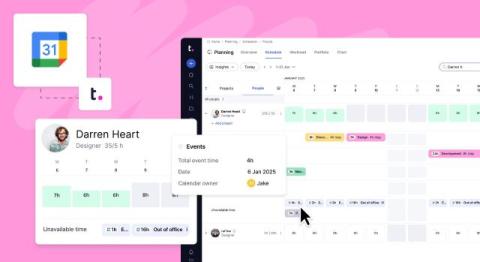
Managing a busy team means constantly juggling deadlines, tasks, and availability. I’ve had days when I wasn’t sure who could take on more work or whether we’d meet a deadline without burning out. That’s when a capacity planning template became one of the most useful things in my project management toolkit. It gives me a clear picture of what’s realistic, helps me plan ahead, and makes sure my team is working at a pace that’s productive, not overwhelming.

26 best workflow management software tools for teams in 2025

As someone who works in content marketing, I know how messy things can get when workflows aren’t clear. Between juggling briefs, chasing feedback, and keeping deadlines on track, I’ve tried more workflow management software than I can count—always on the hunt for something that actually helps my team stay organized and get things done. Some tools have helped me cruise through content calendars and campaigns. Others… not so much.

What's new in Teamwork.com | May 2025

Just in time for summer, big things are happening at Teamwork.com. This month, we’re rolling out Advanced Reporting in beta, launching a game-changing AI feature, and delivering powerful automation upgrades to help you work faster and smarter. Whether you're deep in the data, streamlining workflows, or keeping your team aligned with less effort, these latest enhancements are designed to give you more control, more insights, and more time back in your day. Let’s dive in.

How to create an Excel dashboard that will help you stay on track (best practices, tips, and templates)

I’ve worked with Excel for years, and one thing I know for sure is that it can be a super powerful tool—when used right. Whether you're managing a project, tracking sales, or keeping tabs on your team’s performance, an Excel dashboard can bring all your data together in one easy-to-understand view. The beauty of an Excel dashboard is its simplicity. Once you know how to set it up, it can help you stay on top of key metrics and make better decisions.

How to write a daily report: Tips and templates

Reports can be a beautiful thing — they can also be a struggle. Daily reports are a staple when it comes to managing the day-to-day tasks of a team. As a manager, these reports give insight into what needs your attention and what you need to pass up the chain. The pitfall of daily work reports is they can suck a ton of time out of your schedule if you’re not careful. Luckily, using a daily report template can minimize the time spent on sharing project progress.

What is capacity planning? How to apply the right strategy

As a business owner, you understand the value of project management. You need to be able to organize your team, assign tasks to people with the right skill sets, and prioritize your projects and clients. However, knowing how to meet demand and increase the profitability of your business can seem overwhelming. In order to maximize the available capacity of your organization, you need capacity planning.

Match the right people to the right work with Skills

In the world of client work, it’s no surprise that your people are your biggest asset. But when you're juggling multiple projects, clients, and timelines, it can be hard to know if you’re using that asset wisely. Who has the right skillset to lead this new initiative? Who’s certified in Adobe After Effects? Do we have enough React developers available next week?

Task automation: Types of tasks that can be automated and how to automate them

There are little things we do at work every day, over and over. While it may only take a couple of seconds each time, if you repeat it dozens of times, the task wastes time — and time is money. I've watched small teams waste hours each week on repetitive admin tasks that could easily be automated. This is why it’s crucial to streamline repetitive tasks by automating them.

Project timeline: How to create, manage, optimize & more

A project timeline is a visual representation of the key milestones and deadlines for a project. It helps keep everyone on track and organized. Aligning the assorted tasks so they tie up neatly and ensuring everyone’s on the same page at all times is hard work. Creating accurate project estimates can be just as hard. I've seen this firsthand in my experience managing complex projects.