Teams | Collaboration | Customer Service | Project Management

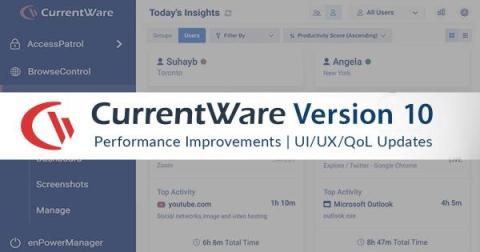
Today's Insights, Custom Dashboards, Speed/Stability Enhancements, and More! (v8.0) | CurrentWare

CurrentWare version 8.0 is here! With this release, we’re excited to announce several new capabilities in BrowseReporter, substantial stability and speed enhancements, and a smorgasbord of functionality/quality-of-life updates.

Employee Monitoring: A Cost-Effective Way to Survive an Unstable Economy

Click for Transcript BrowseReporter is a versatile computer user activity monitoring software that helps organizations enforce policies, meet compliance requirements, and understand how their users operate – no matter where they’re located.

10 Productivity Improvement Strategies Companies Need To Try

Most everyone would like to think that they have great and, consequently, productive employees. However, studies show that employees are only productive for 2 hours and 23 minutes of their work day. While you might be blown away by that statistic, the truth is that employees can become very distracted by chatty co-workers, unproductive websites, and other workplace distractions. These issues are just the tip of the iceberg when it comes to improving employee productivity.

Audit Logs, Activity Drilldown, USB File Blocking Upgrades (v7.0.2)

CurrentWare version 7.0.2 is here! With this release we’re excited to announce new admin activity logs for the CurrentWare web console, a new app and website activity drilldown dashboard for BrowseReporter, BrowseReporter productivity grading enhancements, as well as several enhancements to AccessPatrol’s USB file transfer blocking feature.

How to Manage Users & PCs in the CurrentWare Suite | CurrentWare

In this video, you will learn how to set up your user and computer groups within the CurrentWare Suite. This video will cover the key user management features of the CurrentWare Suite, including: This demo will be using version 7.0.1 so there may be small differences if you are using another version. Before watching this video you should already have the CurrentWare web console installed.

enPowerManager User Guide & Features Overview | CurrentWare Tutorial

Today I’m going to show you how to get started with implementing your first PC power management policies with enPowerManager. This video will cover the key features of enPowerManager, including: For the best results, set enPowerManager to PC mode rather than User mode. This will give you access to the most features. This demo will be using version 7.0.1 so there may be small differences if you are using another version.

How to Use AccessPatrol-USB Activity Reports & Removable Media Control | CurrentWare Tutorial

In this video, you'll learn how to get started with implementing your first USB security policies with AccessPatrol USB device control software. This video will cover the key features of AccessPatrol, including: This demo will be using version 7.0.1 so there may be small differences if you are using another version. Before watching this video you should already have the CurrentWare web console set up, the CurrentWare Clients installed on the computers you would like to manage, and your users or computers placed in their own policy groups.

How to Use BrowseReporter Employee Monitoring Software-Track Productivity, Web Browsing & App Use

Today I’m going to show you how to get started with monitoring employee productivity, web browsing, and application usage with BrowseReporter’s user activity reports. These reports work in tandem with BrowseReporter’s user activity dashboards to provide you with advanced awareness of your user’s computer usage across your organization. This video will cover the key activity monitoring features of BrowseReporter, including.