
Teams | Collaboration | Customer Service | Project Management

How to Turn On Ignore Idle for Apps and Websites | Flowace

Learn how to turn on Ignore Idle in Flowace so time in calls, meetings and training is not marked as idle. Flowace marks time as idle when there is no keyboard or mouse activity for the time your admin sets. But sometimes you are still working, for example listening in a call or watching a training. Turn on Ignore Idle to keep tracking time even when you aren't moving your mouse or typing. In this video.
Idle Time Threshold in Flowace: Set It for New Users and Employees

Learn how to set the idle time threshold in Flowace, the number of minutes without keyboard or mouse activity before time is marked idle. You can set a default for new users in Default Settings, and change the value for one employee in Permissions, Desktop App. Once the threshold is reached, the whole inactive period is marked idle. Shorter pauses stay active. In this video: Chapters: Example setup used in this video.

Idle Time Threshold in Flowace: Set It for New Users and Employees

Learn how to set the idle time threshold in Flowace, the number of minutes without keyboard or mouse activity before time is marked idle. You can set a default for new users in Default Settings, and change the value for one employee in Permissions, Desktop App. Once the threshold is reached, the whole inactive period is marked idle. Shorter pauses stay active. In this video: Chapters: Example setup used in this video.

Work Categories in Flowace: Set Productivity Ratings Faster

Learn how to create a Work Category in Flowace and use it to set Productivity Ratings for many apps and websites at once. A Work Category carries its own Productivity Rating, so it works as a template. Create a Communication category, mark it Productive, and any app or website you give that category follows the rating automatically. You can still edit a rating later. In this video: Chapters: Example setup used in this video.

Productivity Ratings in Flowace: Company, Team and Individual

Learn how to rate apps and websites as Productive, Unproductive or Neutral in Flowace, for your whole company, for a team, or for one person. The same app can be productive for one team and unproductive for another. Instagram may suit Marketing but not Development. Flowace lets you rate apps and websites for each scope, so each member gets the rating that fits their role. In this video: Chapters: Example setup used in this video.

Stop Chaos at Work. Start using Workforce Management Software

Stop chaos at work. Start using workforce management software. Missed shifts. Double-booked meetings. "Wait, who's working today?" Spreadsheet nightmares. Sound familiar? Workplace chaos isn't just annoying—it's killing your productivity. But here's the thing: you don't have to live like this. Workforce management software turns the chaos into clarity. Automated scheduling. Real-time tracking. Instant visibility. Less stress, more results. The difference? Going from "Where is everyone?" to "We've got this" in one click.#WorkforceManagement Subscribe for more relatable work moments and productivity tips!

Stop Working Alone. Start Working with AI.

Stop Working Alone. Start Working with AI. We've all been there—drowning in tasks, working twice as hard, wondering why productivity feels like a constant uphill battle. But what if the secret wasn't working harder... it was working WITH someone (or something)? When humans team up with AI, magic happens. This is the workplace moment that changes everything: realising AI isn't your replacement, it's your ultimate work buddy. Human creativity + AI efficiency = results that'll make your boss do a double-take.

Flowace Live Demo with the Simvisr Team

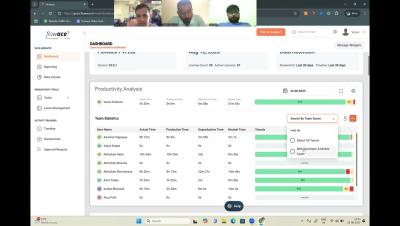
Explore Flowace in action with the Simvisr Team as we dive into how teams can achieve accurate time tracking and boost productivity. This live demo showcases how Flowace monitors websites and app usage, tracks active vs idle hours, detects suspicious user activities through screenshots and keystrokes, and helps you distinguish between productive and unproductive work time.

Stop forcing the RIDE. Start trusting REMOTE WORK.

Why risk the traffic when you can trust the time tracker? In a world full of office commutes and endless honking, Flowace helps teams work smarter, not harder. With AI-powered time tracking, productivity insights, and transparent performance analytics, you can finally trust your remote workforce to deliver from anywhere. Productivity isn’t about dealing with a stressful commute to the office. It’s all about finding ways to be awesome while working from the comfort of home!

Revolutionize Workplace Productivity with Flowace | Quick Product Tour

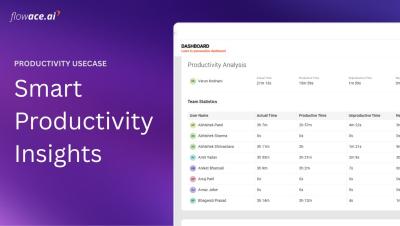
Are you struggling with team productivity, time leaks, or accountability? Meet Flowace – your intelligent productivity assistant that helps organizations boost efficiency through automated time tracking, employee insights, and activity analytics. In this short demo, we’ll walk you through how Flowace helps: Track work hours effortlessly Gain actionable productivity insights Improve time utilization across teams Enable silent tracking for transparency without micro-managing Integrate seamlessly with tools like Jira, Slack, HRMS, and more.