Teams | Collaboration | Customer Service | Project Management

How to Use enPowerManager-Remote PC Power Manager & Employee Login Tracker (v12) | CurrentWare

Today I’m going to show you how to get started with implementing your first PC power management policies with enPowerManager. This video will cover the key features of enPowerManager, including: For the best results, set enPowerManager to PC mode rather than User mode. This will give you access to the most features. Before watching this video you should already have the CurrentWare web console set up, the CurrentWare Clients installed on the computers you would like to manage, and your users or computers placed in their own policy groups.

How to Use BrowseControl Web Filter & App Blocker (v12) | CurrentWare

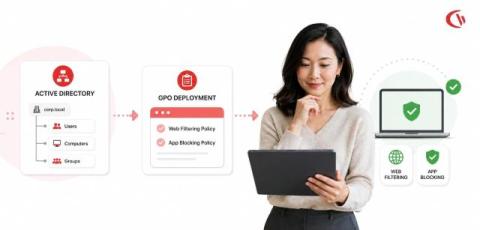
Don’t let internet abuse run rampant in your organization. Take back control over web browsing with a free trial of BrowseControl. BrowseControl is an easy-to-use web content filtering software that helps organizations enforce policies, improve productivity, reduce bandwidth consumption, and meet compliance requirements - no matter where their users are located.

How to Use BrowseReporter Employee Monitoring Software (v12) | CurrentWare

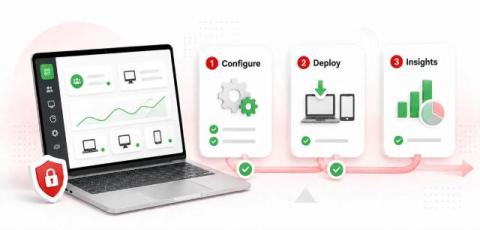
Monitoring employee internet use is essential for ensuring productivity, security, and compliance among in-office and remote employees alike. In this video you will learn how to monitor employee internet use, the critical role that employee monitoring software plays in protecting your business, and some best practices for monitoring employee internet usage. TIMESTAMPS RELATED VIDEOS FOLLOW US ONLINE.

How to Use AccessPatrol USB Control Software (v12) | CurrentWare

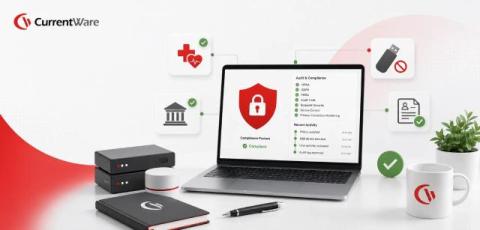
Don’t let a preventable data leak ruin your organization. Take back control over portable storage devices with a free trial of AccessPatrol USB device control software. Stop Data Theft to Removable Storage Devices Audit USB Activity to Investigate Data Breaches Get Alerts of High-Risk USB Device Usage Portable storage devices such as USB flash drives are a convenient way to transfer files and store data, but they’re not without their risks.

Mastering Internet Control: How to Block Specific Websites Effectively

To block a website on Google Chrome, users can install browser extensions from the Chrome Web Store, such as BlockSite or StayFocusd. These extensions allow users to block specific websites, set time limits, and customize their blocking settings for better control.

Step by Step Guide to Developing a Work From Home Policy

A work from home policy is an essential remote workforce management tool. In this article, you will learn how to make a work-from-home policy for your employees. To get you started, this free work from home policy template is ready to be downloaded and tailored to your company’s needs.

Remote Work vs Office Productivity: Which Work Model Performs Better?

Is remote work the way forward, improving employee happiness and productivity, or just a passing trend that is undermining teamwork and business efficiency? Since the rise of home-working during the COVID-19 pandemic there’s been an ongoing dilemma of when, or if, employees should return to the office. As businesses transitioned to remote work setups, workers have come to appreciate the benefits of working from home.

Remote Desktop Monitoring: How to Secure & Manage Remote Work

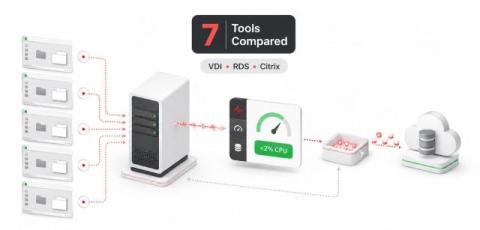
With the rise of distributed workforces and the normalization of remote work, monitoring remote desktop activity is crucial for maintaining security, productivity, and compliance. CurrentWare’s remote desktop monitoring software provides the capability to track user logons, internet usage, application activity, USB device actions, and more on local, virtual, and cloud-based Windows environments.

Essential Tools and Apps to Boost Productivity for Remote Teams

Want to develop a remote team that is productive, secure, and fulfilled? Effectively managing remote employees in a post-COVID-19 world requires a careful mix of tech, communication, and practices. These essential tools for managing a remote team will provide your team with the capabilities they need to thrive when working remotely. Is a remote workforce right for you? Learn about the benefits of having a remote team. Table of Contents.