Teams | Collaboration | Customer Service | Project Management

Suddath achieves timely delivery through improved visibility across projects

Suddath, a 100-year-old moving and logistics company in the US chooses Zoho Projects to manage their projects. Paul Schuster, Vice President of Technology at Suddath talks about how Zoho has offered the company a foundational framework to manage resources, budget, and timelines.

Customer Story: Marketing team at Fazenda achieves more goals using Zoho Projects

Fazenda's marketing team uses Zoho Projects to collaborate with their designer. By virtue of the tool's varied levels of access control, the team gets to decide what their external stakeholders can and cannot do. Segmented into milestones and tasks in Zoho Projects, the team's creative work is easy to retrieve at any time.

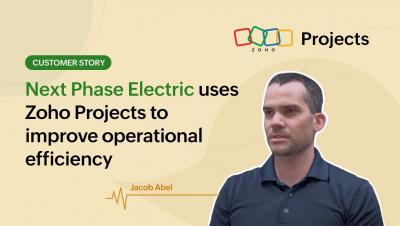
Customer Story: Next Phase Electric uses Zoho Projects to improve operational efficiency

Next Phase Electric, a California-based electrical contractor and solar installer witnesses clarity over their 3000 projects after adopting Zoho Projects. Since switching to Zoho to manage its projects, the company has achieved more organized operations and clearly-defined processes. Documentation, email notification, intuitive layout, and quick support are the other reasons why the team at Next Phase Electric loves Zoho Projects.

Customer Story: Raleigh-based marketing firm Peddle uses Zoho Projects to streamline their workflows

Watch how Raleigh-based marketing firm Peddle uses Zoho Projects to manage their day-to-day tasks effectively. Streamlining their workflows using task automation, ensuring transparency and visibility within their organization as well as with their clients, and customizations that promote scaling up are some of the reasons why they prefer Zoho Projects over other project management software.

Webinar: Collaborate Seamlessly with Zoho Projects + Microsoft Teams

Promote contextual work conversations by integrating Zoho Projects with Microsoft Teams. You can now collaborate seamlessly by bringing your Projects work items right within Teams. Watch this webinar to learn how to set up and work with the Zoho Projects + MS Teams integration.
Sponsored Post

Improve your efficiency with new ways of automating tasks and accessing apps in Zoho Projects

In project management, a great deal of time is spent switching between tabs, updating task statuses, and notifying relevant teammates. Despite taking up a significant part of one’s work hours, these repetitive tasks often feel inconsequential when assessing one’s productivity. The latest Zoho Projects updates aim to reduce project delays caused by mundane yet unavoidable tasks and help teams stay on top of their schedules.

Sponsored Post

Custom functions and other updates that will elevate your project management

Teams work in different ways. They don’t all require the same project management software features, so we aim to make Zoho Projects as customizable as possible. To provide a great user experience for all teams, we have introduced Custom Functions to our Developer Space. In this article, we’ll cover this new addition, along with other major updates to Zoho Projects.