Teams | Collaboration | Customer Service | Project Management

7 Best Online Collaboration Tools for Productive Teams

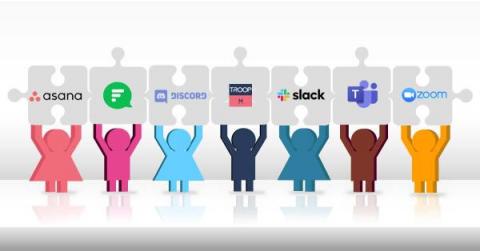
If you’ve handled a group project or managed a team, you already know how important it is to communicate with your team members. If you want to streamline communication and collaboration at your workplace, you must onboard your teams on the best work collaboration apps But, what are those apps that can help you break silos and improve productivity at the same time? Known as a feature rich office chat app, Troop Messenger is an easy-to-use tool with seamless UI and UX.

Whose data is it anyway? - Troop Messenger

When signing up on a social media platform or installing an app, do you take even a couple of minutes to think what information is being asked for? Do you feel comfortable sharing your location, contacts and photos, or agreeing to the terms & conditions? How much of your personal information do you give away with that single click, and do you know who is benefiting from it?

Introducing Troop Messenger

Watch this video to know what Troop Messenger is and how this team collaboration app helps business teams communicate effectively and efficiently across their globally located organizations!. You can connect with your teams using the platforms of Windows, Linux, Mac OS, Android, iOS, and the web to have a seamless work communication experience.

7 Best Outlook Alternatives in 2021

Do you think email is still the fastest way of getting stuff done? As you might have guessed from the title, we beg to differ. Yes, Microsoft Outlook is one of the most popular desktop email clients. However, Outlook hasn’t been designed to get things done in a more productive manner. If you’ve used this tool to communicate with your clients or coworkers, you might have wondered if there’s a faster way of doing things.

Troop Messenger - Text Search & Advance Filters

Find the features of text search and advanced message filters from the 3-dot menu. You can filter work conversations of the chat area by users, keywords, and by date-range. Use the data filters of; filter by image, filter by videos, filter by files, etc., over the group or in a one-on-one chat area to refine the conversation data in the way you want.

Troop Messenger - Group Profile

The group profile helps group members view the information by its name, purpose, profile image, and the group members list. You can get to know on which date and by whom it was created from the logs section!. Now, deleting chat conversations and files of the group has become easy. The group admin has special privileges to perform these actions on the chat data.

Secure Messaging: Why Organization Needs?

It does not matter if you are a tech-savvy young individual who cares about his privacy or a professional with a business that holds secrets of values, secure messaging has already become a no-brainer for everyone. We all are using Facebook Messenger, WhatsApp, Skype, Google Hangouts, and even Instagram. But are they all SSL encrypted ? Businesses in today’s world are facing unprecedented risks.

Troop Messenger - Screen Sharing

Troop Messenger - Screen share feature is one of the dynamic collaborative chat supporting features of Troop Messenger. It allows the team member/user to share their screen at the time of chat conversation with the recipient team member/user. The recipient user can see the entire real-time desktop screen. The sender can share his/her desktop screen once the screen share request is accepted by the recipient user. Both sender and receiver has the ability to stop the screen sharing session at their respective ends.